TL;DR: An HR chatbot can answer many of the repetitive questions employees ask every week: how much holiday they get, how sick pay works, where to find a form and what a company policy says.
The useful kind answers from your organisation’s own policies and documents, links to its sources and respects what each employee is allowed to see.
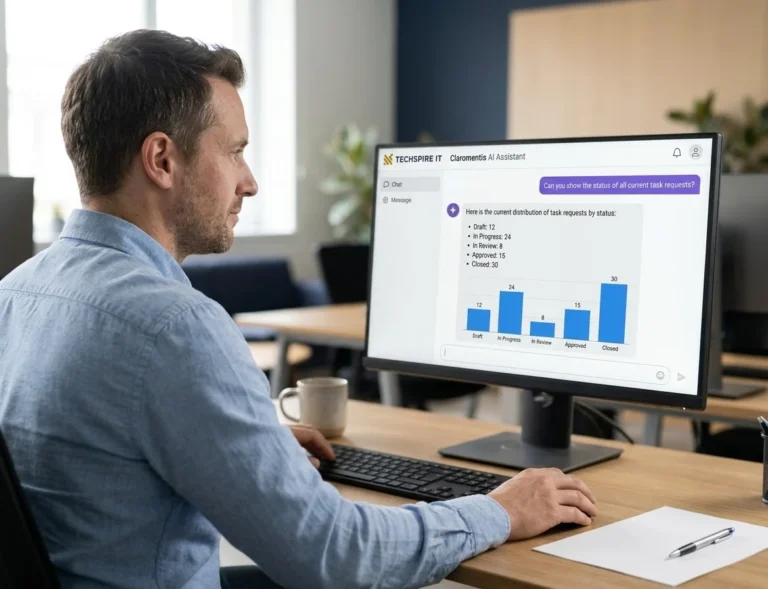
Claromentis brings this into your intranet through AI Search and AI Agents. HR can manage its own agent, while sensitive or personal questions can still go to a human.
The starting point isn’t buying a chatbot. It’s identifying the ten questions HR answers most often and seeing which ones AI can handle.
Every HR team knows the list. How much holiday do I have? What happens to my pay if I’m off sick? How long is parental leave? Where’s the form? The same questions arrive by email, by message and at the desk, week after week.
One HR service-centre benchmark puts the scale into perspective: the median front-line adviser handled 6,667 calls or enquiries a year, approximately 26 a day (ScottMadden and APQC, 2024).
Not every enquiry needs an HR professional to answer it. Some need a straightforward explanation of an existing policy. Others need access to a form or procedure. And some genuinely need a conversation with HR.
That raises an interesting question: how many of those repeat questions could an AI assistant answer using information your organisation has already written? It can answer a good share of them. Not all, and not on its own.
Who’s writing this, and what it covers
I’m Harsh Divecha, founder of Techspire IT, an Authorised Claromentis Partner, so I sell the platform I’m about to show you. Before founding Techspire IT, I managed Claromentis as a customer for more than 850 active users across 20 countries at a multinational healthcare group.
I’ll show you what this looks like inside Claromentis, including real examples from our demo portal. This guide focuses on answering employees’ questions from existing HR policies and information, not recruitment or CV screening.
Key Takeaways
- An HR chatbot works best when employees ask questions that have a clear, current answer in company policies.
- AI can answer the general policy question, but personal cases still need an HR professional.
- Employees should receive answers based on the information they are authorised to access.
- HR needs control over what the chatbot can answer and what must be escalated.
- Claromentis AI Search answers from intranet content, while AI Agents can be configured for specific departmental responsibilities.
- Start with ten real employee questions and test the answers before introducing AI to your workforce.
Think about the questions your HR team receives every week. Some have a straightforward answer in an existing policy. Others need a policy explanation followed by a conversation. A few should always go straight to a person. Select the questions your employees ask and see where AI could help.
Interactive: Which of your HR questions could AI answer?
Tick the questions HR answers every week
Step 1 of 2
Which of these does your HR team answer every week?
Your questions, sorted
Step 2 of 2
Write each answer once, keep it current, and let AI answer from it with a link to the policy.
AI gives the rule from the policy, then says who to talk to about their own case.
AI points to the right person in HR and answers nothing else.
Nothing is stored or sent.
Can an HR chatbot answer the questions HR gets every week?
Yes, the ones with a written answer. An HR chatbot that reads your policies can tell an employee how sick pay works or how much notice to give for holiday. It can point to the parental leave form at nine at night, in plain words. What it can’t do is invent an answer HR has never written down. Nor can it decide something that needs a person’s judgement.
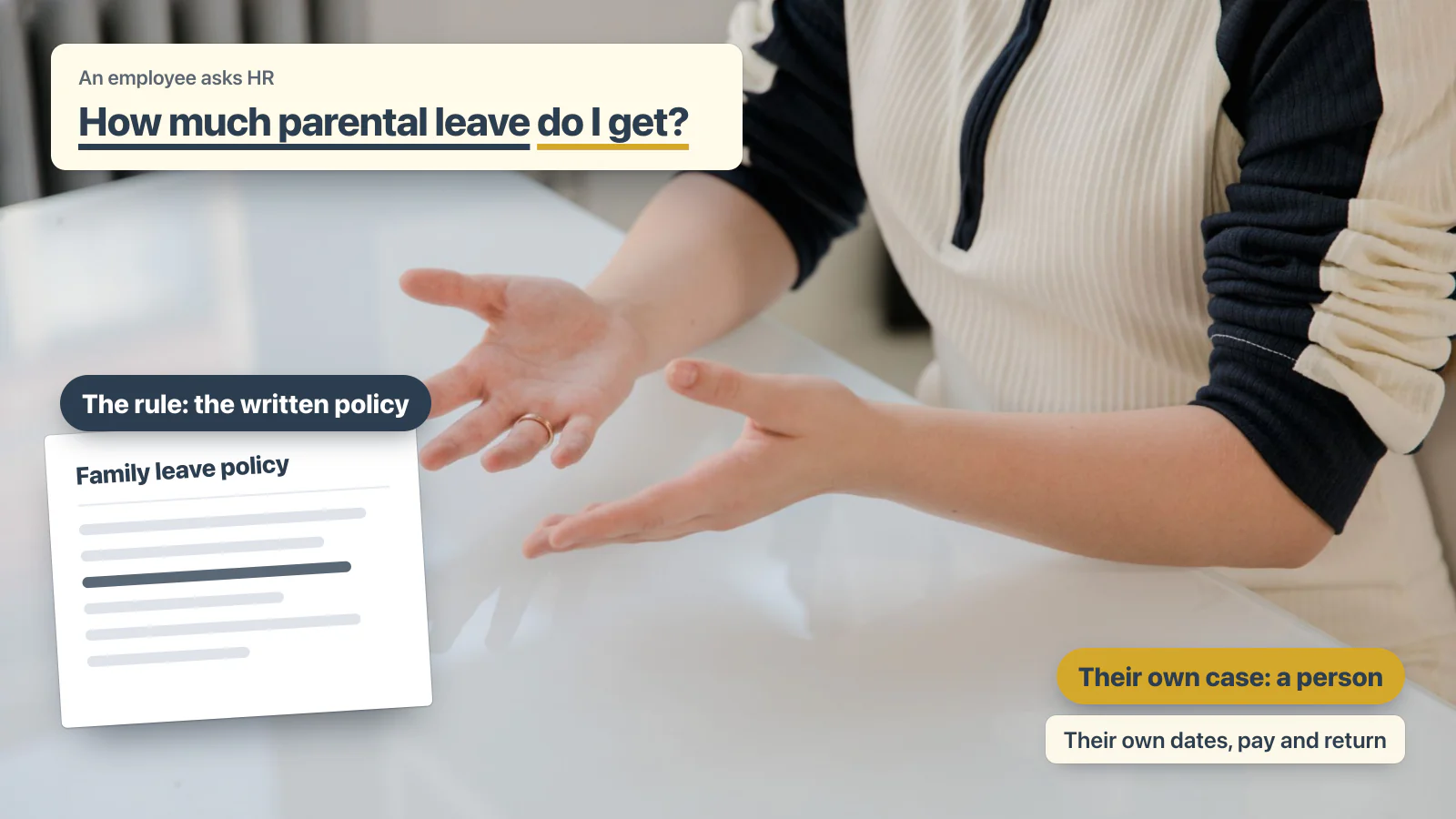
That split matters more than any feature list. Look closely at the questions staff ask HR every week and most of them have two halves. Take “How much parental leave do I get?” The rule half is what the family leave policy answers. The personal half is the employee’s own dates, pay and return, and that needs a conversation.
Plenty of HR teams already try. In the same benchmark, 85% of organisations used some kind of conversational tool for HR (ScottMadden and APQC, 2024). The study says these were mostly chatbots answering questions about HR processes and policies. Of the centres, 80% were in North America. IBM built its own HR assistant, AskHR. It reports a 94% containment rate on common questions and 75% fewer support tickets since 2016 (IBM). Those are IBM’s results for its own system, not a figure a new Claromentis customer should expect.
A chatbot can take the first half off HR’s desk. The employee gets the policy explanation and a link to the original source. If their question involves an exception, a personal circumstance or a decision, the chatbot should direct them to the right person.
The objective isn’t to replace HR. It’s to stop HR spending its day repeatedly explaining information the organisation has already published. That is where an HR chatbot can make a practical difference.
Which HR questions come up every week, and where should each answer live?
Start by writing the list. Ask the people who answer HR’s inbox for the ten questions they type the most. For each one, write down three things: where the written answer lives, who keeps it current, and which part of the question still needs a person.
What that list usually looks like
| The question staff ask | The written answer it needs | The part that stays with a person | How AI should handle it |
|---|---|---|---|
| How do I book holiday, and how much notice do I give? | The leave procedure | An exception to the notice rule | Explain the procedure and link to the relevant application |
| How many days of holiday do I get, and how many do I have left? | The holiday rules (the balance itself is a record in your holiday system) | A disputed balance | Explain the published entitlement, and retrieve a personal balance only where the relevant integration and skill are configured |
| What happens to my pay if I’m off sick? | The sickness absence and sick pay policy | A long or repeated absence | Explain the policy and direct personal cases to HR |
| How long is parental leave, and what does it pay? | The family leave policy | Their own dates, pay and return | Explain the policy and refer individual circumstances to HR |
| Can I work from home on Fridays? | The hybrid working policy | An arrangement agreed with a manager | Explain the flexible working policy, not make an approval decision |
| What can I claim on expenses? | The expenses policy | A claim outside the policy | Explain the expenses policy and link to the claim process |
| Where is the form for a change of bank details? | The form, linked from the procedure | Nothing, if the form exists | Link directly to the correct form |
| When is payday this month? | The published payroll calendar | A missing or wrong payment | Retrieve the published payroll calendar |
| Who do I talk to about a problem at work? | The grievance procedure | The problem itself | Direct the employee to the appropriate HR contact or procedure |
What the list tells you
Most repetitive HR enquiries have a written answer somewhere. The challenge is making that answer easy to find, keeping it current and ensuring the employee receives information appropriate to their situation.
The questions that require personal judgement should remain with HR. This is where an AI-powered intranet can help: employees can ask naturally, find the relevant information and access the original source without searching through folders or waiting for someone to reply.
Why is it a content problem before it’s an AI problem?
An HR chatbot is only as reliable as the information it can access. If your sick pay policy is two years old, the AI can explain outdated rules very confidently. If three versions of the holiday procedure exist in different folders, you have a content management problem before you have an AI problem.
This is why an organisation should not start by switching on a chatbot. It should start by identifying the authoritative policy, procedure or document for each common question. Microsoft describes the same work on the self-service assistant it built for its own staff, which answers HR questions among others (Microsoft, 2025). It called keeping every source accurate and up to date a major task, especially for HR answers.
The rules can change under you, too. In the UK, statutory sick pay has been payable from the first day of sickness since 6 April 2026. A solicitor writing on the Acas blog advised employers to update their policies and handbooks (Acas blog, 2026). A chatbot still reading last year’s policy would quote the old waiting days.
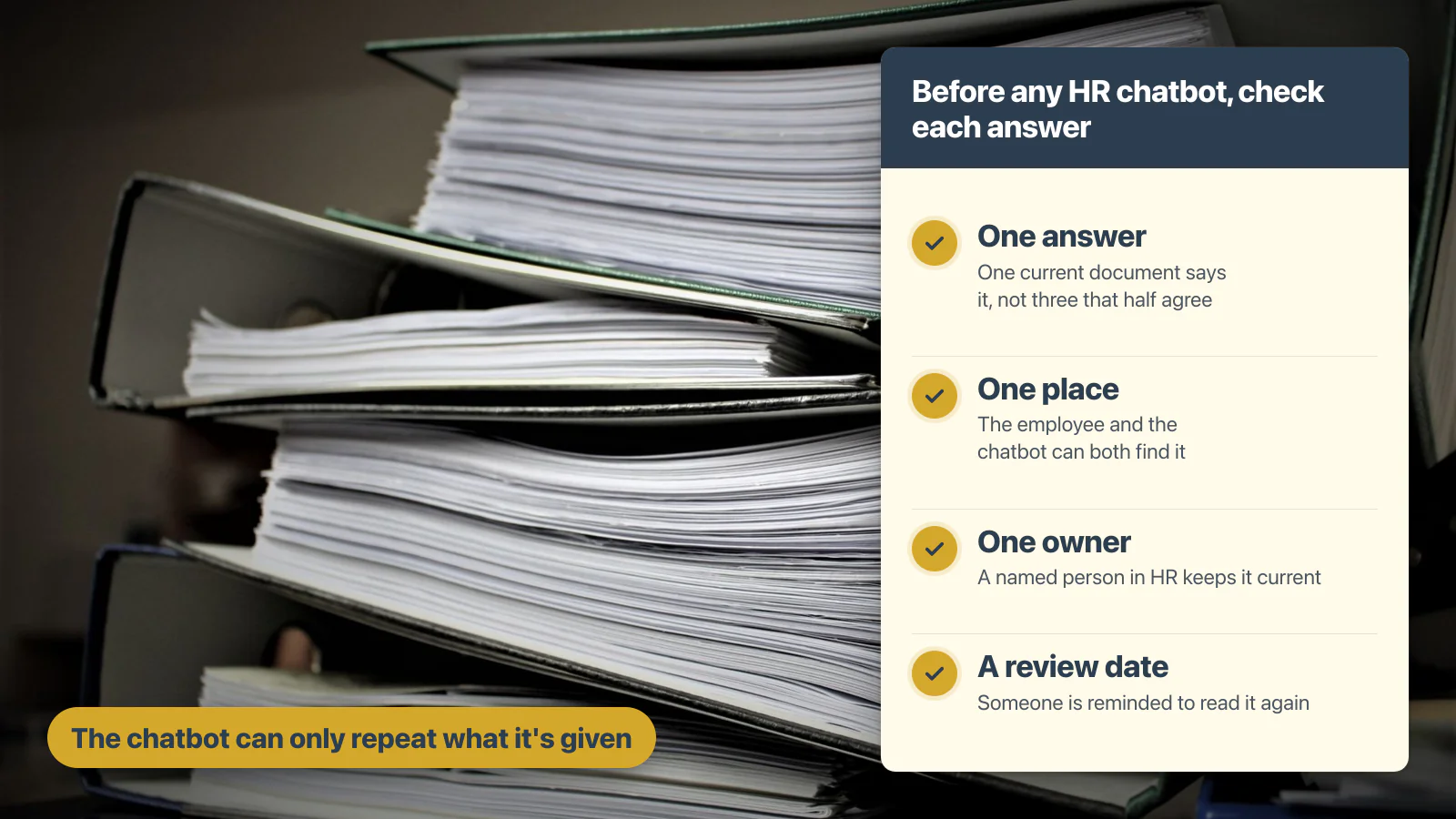
So before choosing any HR chatbot, check four things for each question on your list:
- One answer. One current document says it, not three that half agree.
- One place. The employee and the chatbot can both find that document.
- One owner. A named person in HR keeps it current.
- A review date. Someone is reminded to read it again.
None of this is new: it’s what a good policy library always needed, and why staff ignore company policies they can’t find or act on. AI only makes its quality more visible.
How Claromentis helps keep HR information current
Claromentis brings policy management and the Knowledge Base into the wider intranet. In Policy Manager, policies can have review dates, and the people allowed to edit a policy are reminded 15 days before the date and again on the day. In the Knowledge Base, categories can have named experts who endorse articles.
That gives HR a way to manage the information employees are asking AI to find. AI does not remove the need for content ownership. It makes having it more important.
What does an HR chatbot actually do with a question?
A useful HR chatbot should do four things.
1. Understand the question
An employee might ask, “Do I get paid if I’m off with flu?” The AI should understand the meaning and find the relevant sick pay policy, even if the policy uses different wording.
2. Answer from company information
The answer should be grounded in the organisation’s own policies and documents, rather than relying on general AI knowledge about employment rules.
3. Show the source
Employees should be able to open the policy or article behind the answer. That allows them to check the information themselves.
4. Respect permissions
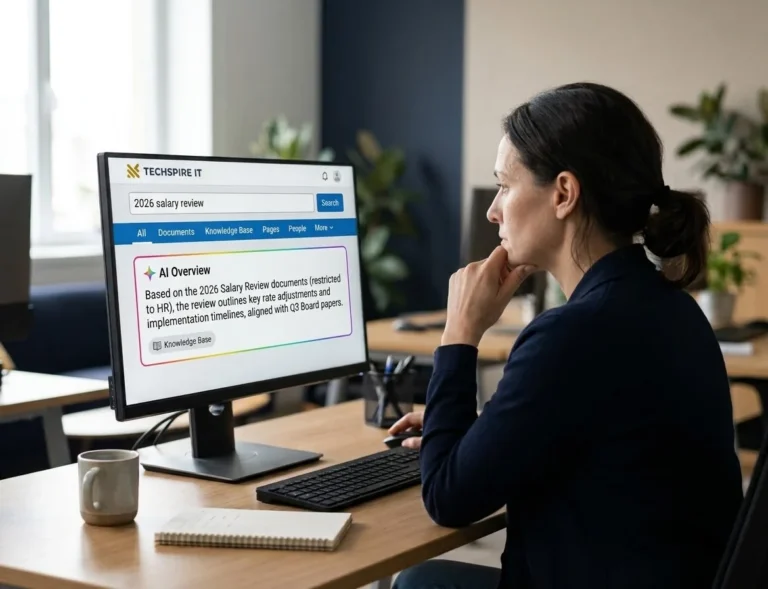
An employee should not receive information from a manager-only document if they are not authorised to access it.
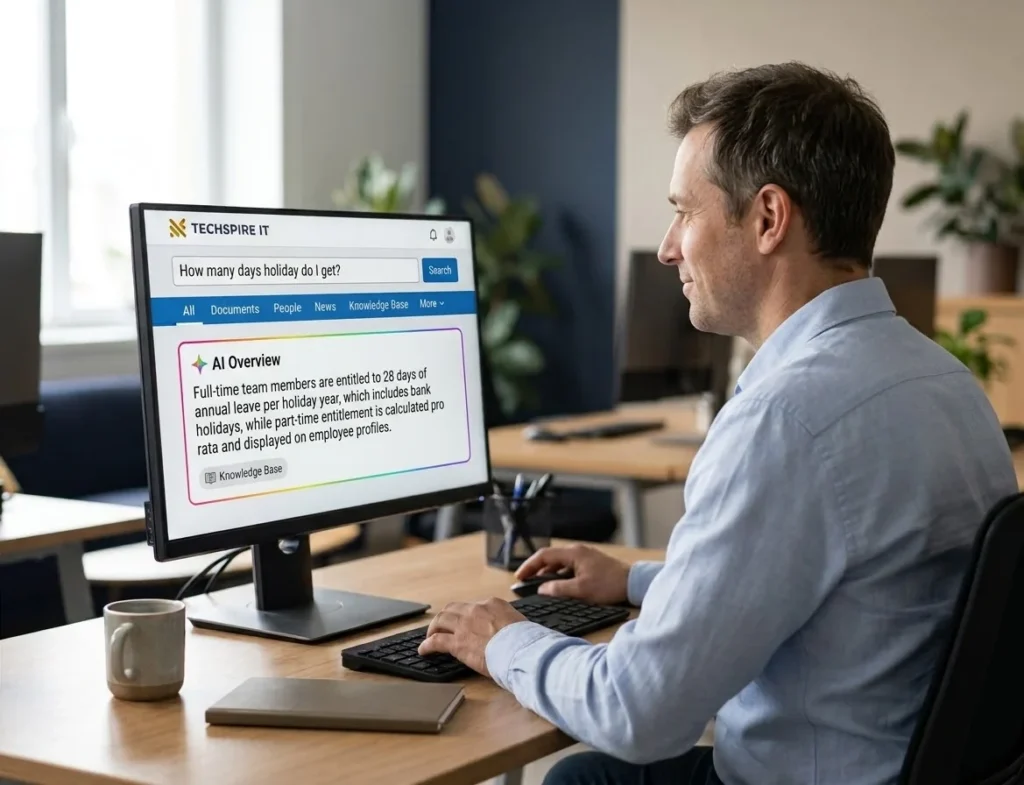
Claromentis provides this through AI Search and AI Overviews inside the intranet. The AI Overview presents a short answer with links to the source content. When it does not have sufficient confidence to produce an overview, it can show the ordinary search results instead. Employees can also open AI chat within supported policy and document content to ask questions about that material.
The important difference is that employees do not need to manage another separate collection of uploaded HR documents. The AI works with the content maintained in the intranet, within its configured permissions. We explain the approach on our page about enterprise RAG built into your intranet.
What does an AI agent add, and who owns it?
AI Search helps employees find answers across company information. An AI Agent takes that a step further by giving an assistant a defined job, instructions and selected skills.
For HR, that job might be answering questions about leave, absence and company policies, or helping employees navigate an established HR process. For IT, it could be helping employees with common IT questions or checking the status of a supported process.
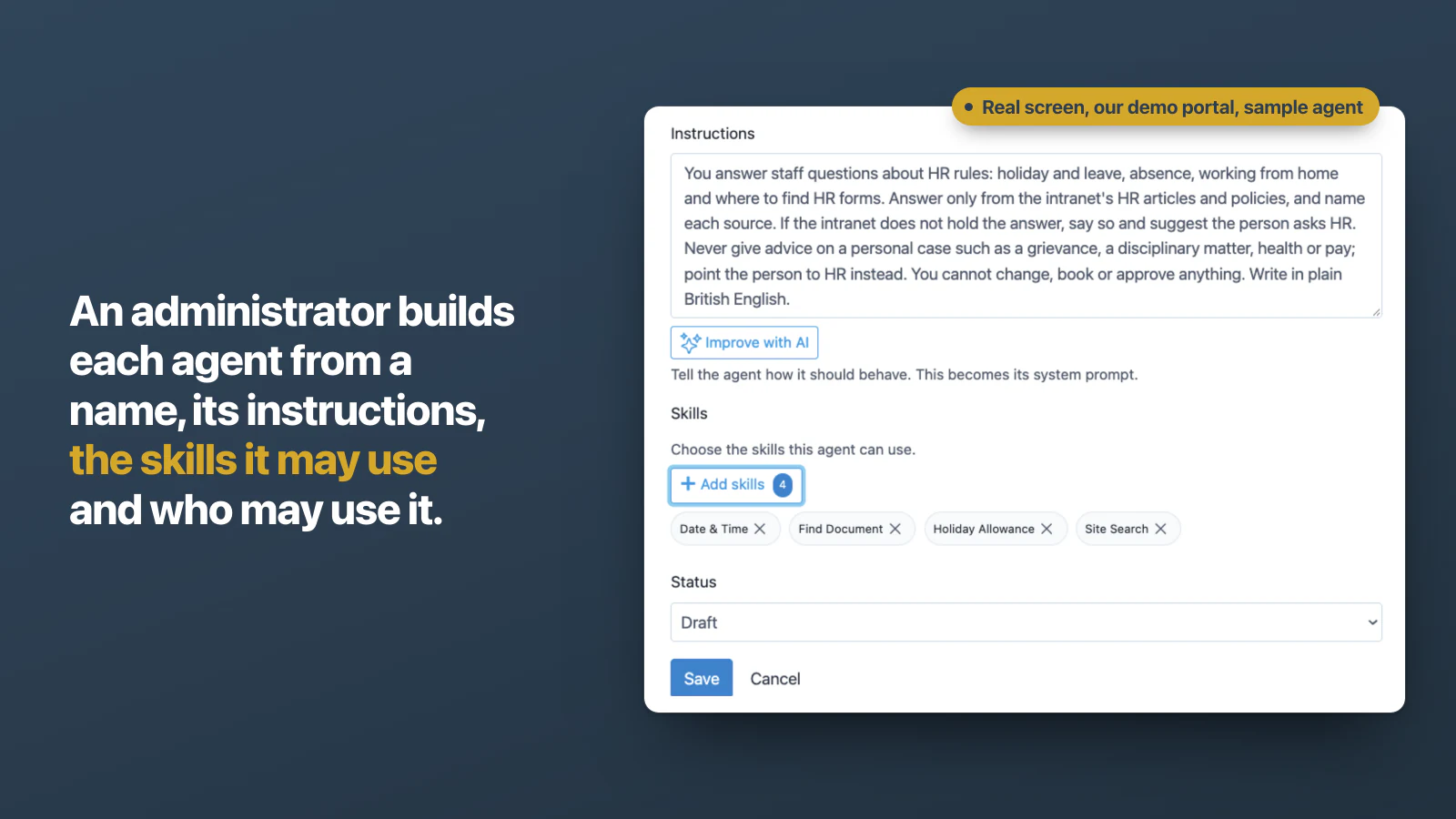
The important part is ownership. In Claromentis, an agent can have a named owner. An administrator can give HR permission to manage its agent, so the department can help define its instructions and responsibilities.
Administrators can configure:
- What the agent is instructed to do.
- Which skills it can use.
- Who is allowed to use it.
- Which permissions apply.
- When it is ready to be made available.
For example, the Holiday Allowance skill can allow an appropriately configured agent to answer questions using the asking employee’s own holiday record. That is different from simply asking AI to explain the holiday policy. The first is a configured capability that works with a particular data source. The second is an answer based on published information.
Agent activity is also recorded in the intranet’s audit log, subject to the relevant configuration and permissions. This gives HR and IT a way to have departmental AI assistants without handing every employee unrestricted access to every agent.
The commercial benefit: HR can own its own assistant, IT can own its own assistant, and both can work within the wider Claromentis intranet. You can see how agents work in Claromentis in more detail.
How much of an HR chatbot works out of the box?
Claromentis AI Search can work with content already maintained in supported intranet applications. However, that does not mean your organisation has a ready-made HR chatbot the moment the intranet is installed. There are two separate parts.
AI Search
An administrator enables the relevant AI features. Employees can then ask questions about supported intranet content, with answers governed by the relevant permissions.
AI Agents
Agents require configuration. An administrator creates the agent, gives it instructions, selects the skills it may use and defines who can access it. The agent should then be tested before it is made available to employees. On a Claromentis cloud intranet, AI Agents are included with the licence, according to the current licensing arrangement; for a self-hosted intranet, ask us.
The important point is that HR does not need to build an AI model from scratch. It needs to decide what the assistant should do, which information it should use and which questions must still go to a person.
Where should an HR chatbot live: Teams, Slack or the intranet?
The best location is where employees already work and where the information they need is maintained. For organisations whose employees spend most of their day in Microsoft Teams, a Teams-based assistant may be the natural choice.
If the organisation’s policies already live in Microsoft 365 and the connected solution meets its requirements, there may be no reason to introduce another platform. Our guide to whether you need an intranet with Microsoft 365 covers that decision.
Many of the guides that rank for “HR chatbot” put it in Slack or Microsoft Teams. Of the 15 ranking pages I opened on 4 November 2026, 10 mention Slack or Teams, and 13 never mention an intranet.
An intranet has a different advantage. It can bring policies, procedures, employee information, forms and internal applications together, including the record of who has read which policy, as our guide to proving staff have read a policy explains. When the AI answer and its source live in the same environment, employees have a direct route from the answer to the original information.
Claromentis combines AI Search, policies, documents, the Knowledge Base and employee applications within the intranet. It is worth considering when the organisation wants a shared employee platform, not simply another chatbot. That includes frontline staff, which our guide to employee self-service for deskless staff covers.
Can an HR chatbot tell two employees apart?
It needs to respect the fact that two employees asking the same question may be entitled to different information. A full-time employee and a part-time employee may have different holiday entitlements. Employees in different countries may follow different policies. A manager may have access to information that an ordinary employee should not see.
This is why an HR chatbot must not simply return the same answer to everyone. It should use the information available to the person asking and respect the permissions configured for that person. Claromentis AI Search follows the intranet’s permissions. For more advanced agent tasks involving personal records, the relevant skills, integrations and access must also be configured and tested.
A 2019 masterclass in People Management, the CIPD’s magazine, flagged this: a chatbot can struggle when terms and conditions differ from colleague to colleague. Our guide to the AI knowledge base for internal teams covers who gets to see which answer in depth.
We tested this principle on our own Claromentis demo portal using two accounts with different access. Both answers are in our post on uploading documents to ChatGPT or using enterprise RAG.
The objective was simple: ask the same question and establish whether each account receives only the information it is authorised to access. That is a test I would recommend running before introducing AI to employees.
Inside Claromentis: two HR questions, answered from HR’s own content
Inside Claromentis: two HR questions, answered from HR's own content
An HR question in the search bar, answered from the Knowledge Base


"Full-time team members are entitled to 28 days of annual leave per holiday year, which includes bank holidays ..."
A policy's own AI chat, answering beside the policy


"You can work from home on a Friday ... for a maximum of 2 days a week without manager approval."
A holiday question, typed the way an employee asks it.The AI Overview answers in one sentence, from HR's own article.One click opens its source: HR's annual leave article.Then a policy. The Flexible Working Policy has its own AI chat.It suggests questions drawn from the policy itself.Asked "Can I work from home on Fridays?", it answers from section 6, beside it.Two HR questions, both answered from what HR wrote, with the source in view.
Here is what this looks like in practice. We used our own Claromentis demo portal with sample HR content. First, we asked a question through the intranet search bar. Then we opened a specific policy and asked a question directly about its content. The two examples show how employees can find information through the wider intranet and ask more focused questions about an individual policy.
We typed “How many days holiday do I get?” into the search bar. The AI Overview answered at the top of the results: full-time staff get 28 days of annual leave a year, including bank holidays, and part-time entitlement is pro rata. A link sat beside the answer. One click opened its source, HR’s annual leave article in the Knowledge Base, which says the same.
Asking the policy itself
The second question went to the Flexible Working Policy and its own AI chat. It suggested questions drawn from that policy. We asked “Can I work from home on Fridays?” It answered from section 6 of the policy, shown beside the chat: up to two days a week without a manager’s approval, with a request in Holiday Planner. The chat carries its own note that answers may contain errors and that you should verify them with trusted sources.
The useful part is not simply that AI produced an answer. The employee can see where the answer came from and open the original policy. That is the experience worth testing with your own HR questions.
Your policies, terminology and employee requirements are different from ours. Bring your own ten questions and see how Claromentis handles them.
What should an HR chatbot never answer on its own?
Anything that requires personal judgement, sensitive information or a decision about an employee’s circumstances. An HR chatbot should not decide a grievance, assess a disciplinary case, determine whether an employee is fit to work or make a judgement about a complaint. Its job is to help employees find information and direct them to the right person.
Employees say the same. In a US survey by Paychex in January 2024, employees named the HR work they most wanted kept with people. Top was conflict resolution and employee relations (78%), then sensitive issues such as layoffs or disciplinary action (76%) (Paychex, 2024).
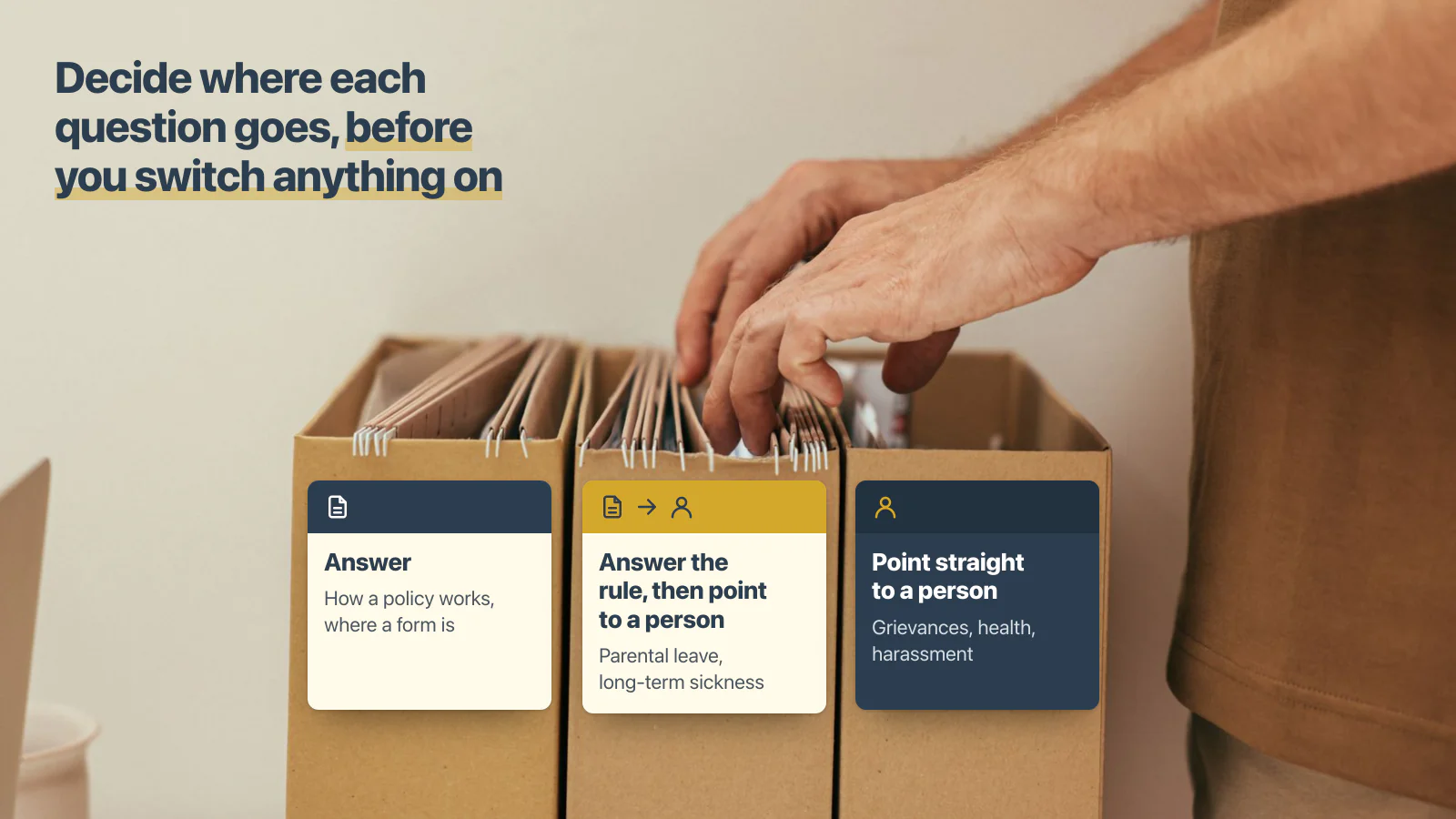
Before launching an HR assistant, decide which questions it can answer, which require an explanation followed by a human conversation and which must go straight to HR. A short list to start from:
- Answer: how a policy works, where a form is, what a procedure says.
- Answer the rule, then point to a person: parental leave, long-term sickness, flexible working requests.
- Point straight to a person: grievances, disciplinary matters, health, harassment, anything an employee marks as confidential.
The escalation route is just as important as the AI answer. Every sensitive question should have a clear next step.
Does the same work for IT?
Yes. IT departments receive their own repetitive questions:
- How do I reset my password?
- How do I connect to the VPN?
- Where is the IT support form?
- How do I request access?
- What is the process for getting a new laptop?
AI Search can help employees find the relevant IT procedures and guidance. An IT-specific AI Agent can also be configured for defined tasks using its available skills. The same principle applies: answer the questions that have a reliable written answer and send requests requiring human action to the IT team.
This is one of the advantages of using the same intranet for HR, IT and other departments. You are not buying a separate chatbot for every team. You are building on a shared employee platform.
What changes for the people in HR and IT?
The first change is the repetitive inbox. Instead of answering the same question about sick pay or annual leave repeatedly, HR can direct employees to an AI-powered answer based on the published policy.
The second change is consistency. Employees receive answers based on the same source rather than slightly different explanations from different members of the HR team.
The third change is visibility. The questions employees ask can reveal where company information is missing, difficult to find or unclear. In Claromentis, authorised administrators can review AI activity recorded in the audit log.
This needs to be handled carefully because employee questions may contain personal or sensitive information. Organisations should define who can access this information and communicate the relevant monitoring policy.
The final benefit is better use of HR time. We won’t invent a figure for hours saved. Instead, start with your own numbers:
- How many repeat questions does HR receive each week?
- How long does each take to answer?
- Which questions already have a written answer?
- How many could be answered through self-service?
That gives you a baseline against which to assess the results.
What to do before you switch an HR chatbot on
We would approach this in seven steps.
- Identify the ten questions HR receives most frequently.
- Find the authoritative answer for each question.
- Assign a named content owner and review date.
- Check permissions and make sure employees only see information they are authorised to access.
- Decide which questions the AI must never answer independently.
- Configure AI Search and any departmental agents deliberately.
- Test the actual questions, answers and source links before employees use the system.
There is one final point. Do not use AI to remove the human support employees still need. IBM’s own HR transformation is a useful reminder of what can happen when automation is introduced without considering the employee experience. Shortly after AskHR launched, IBM shut its global HR email address and phone number. Its internal Net Promoter Score fell to -35. Today, on a different measure, IBM says AskHR scores +74 for satisfaction.
Keep a clear route to HR. An AI assistant should make HR more accessible, not make it harder for employees to speak to someone.
Frequently asked questions
What is an HR chatbot, and what does it answer?
An HR chatbot is an assistant that answers employees’ HR questions in plain language, such as how sick pay works or where a form is. The useful kind answers from your organisation’s own policies, links the policy it used, and sends anything personal or sensitive to a person in HR.
Will an HR chatbot replace HR staff?
No. It takes the repeat questions that have written answers, such as how a policy works or where a form is. That gives HR more time for the questions that need judgement: a grievance, a long absence, a difficult conversation. Those still need a person.
How do you stop an HR chatbot giving out-of-date answers?
Keep one current version of each policy in one place, give each policy a named owner and a review date, and remove old copies. The chatbot repeats what it reads, so an out-of-date policy means an out-of-date answer. A source link on every answer also lets employees and HR spot one quickly.
Can HR own its own AI agent?
Yes. In Claromentis each agent has a named owner, and HR can be it. An administrator can also give HR the right to edit the agent, so HR decides what it answers. It works within the permissions of the person asking, and its use is recorded in the audit log.
Do we need a separate HR chatbot if we already have an intranet?
Not necessarily. If your policies already live in an intranet with AI search, the answers can come from there. They sit beside the source and the record of who has read what. However, a separate tool suits teams whose policies live somewhere else, or who work mainly in a messaging app.
Can an HR chatbot answer questions from our own company policies?
Yes, provided the platform can access the relevant company information. Claromentis AI Search can answer questions from supported intranet content and link to its sources, subject to the user’s permissions and the organisation’s configuration.
Can an HR chatbot access an employee's personal holiday balance?
That requires more than a general policy answer. The relevant employee record, skill or integration and access permissions must be configured. Claromentis provides a Holiday Allowance skill for supported agent use cases, which should be tested against the organisation’s requirements.
How much does a Claromentis AI chatbot cost?
Claromentis AI Search and AI Agents are part of the wider Claromentis intranet offering, subject to the applicable licensing terms. The actual cost depends on the organisation’s requirements, users and implementation scope. Contact Techspire IT to discuss your requirements.
The bottom line
Your HR team should not spend its day repeatedly answering questions that already have a written answer. An AI assistant can help employees find those answers themselves, provided the information is current, the sources are clear and the system respects their permissions.
But the important part is knowing where AI should stop. A policy question can often be answered from company information. A personal grievance, sensitive situation or individual decision still needs a human.
Claromentis brings AI Search, AI Agents, policies, documents and employee applications together inside one intranet. HR can manage its own information and departmental assistant, while IT can do the same for its own processes.
The opportunity is not simply to install another chatbot. It is to make the information your organisation already has easier for employees to use.
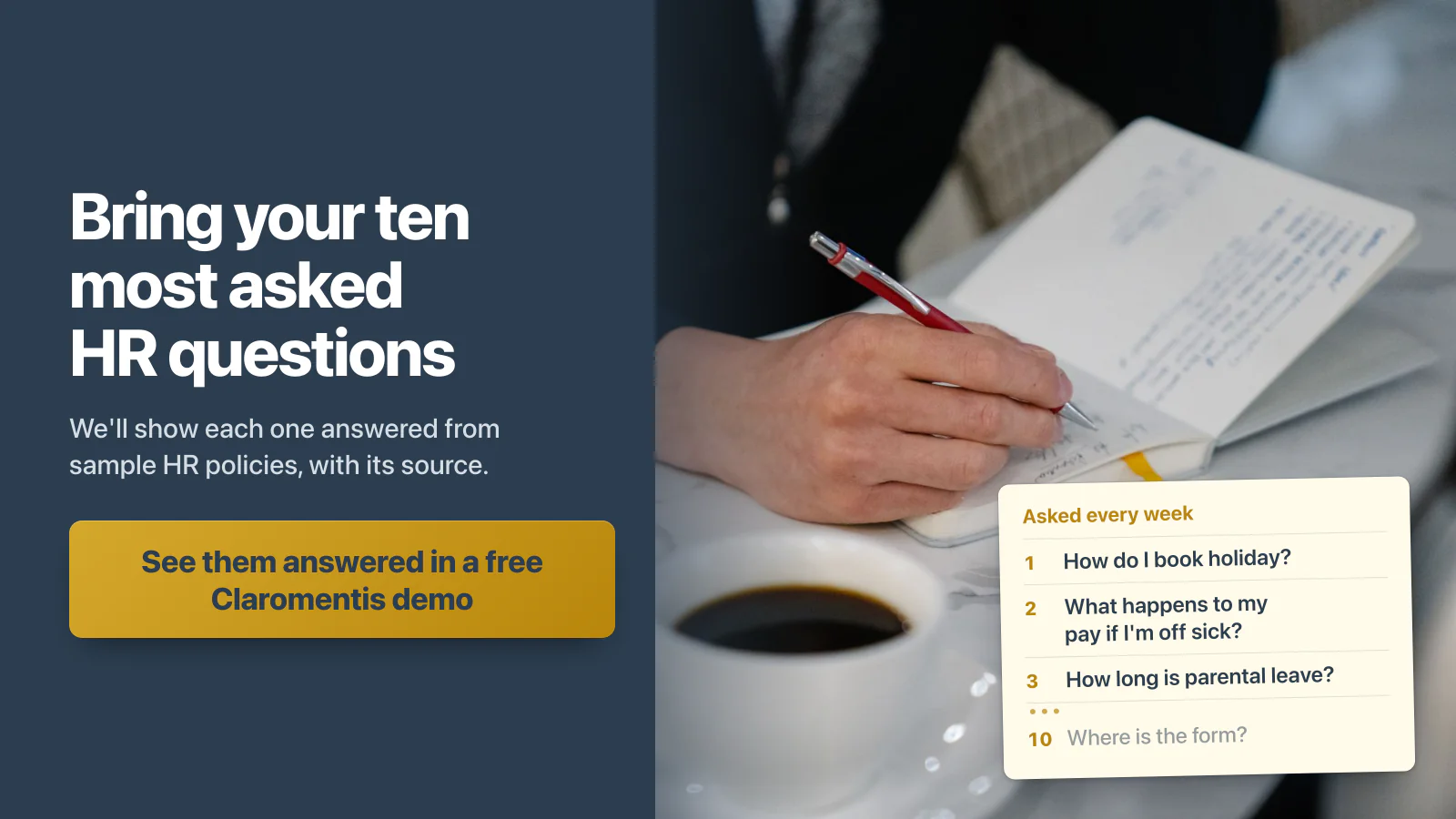
Bring us your ten most asked HR questions
How much holiday do I get? What happens if I’m off sick? Where do I find the expenses form?
These are exactly the kinds of questions worth testing with an AI-powered intranet. Send us the ten questions your HR team answers most often.
We’ll show you how Claromentis can:
- Find answers in your company’s policies and documents.
- Provide links to the original sources.
- Respect employee permissions.
- Use AI Agents for defined departmental tasks.
- Point sensitive questions to the right person in HR, as the agent’s instructions say.
You can judge the answers yourself before deciding whether the platform is right for your organisation.
Techspire IT is an Authorised Claromentis Partner. We can help you configure the policies, permissions, AI Search and departmental agents, and test the answers before your employees start using them.
See your ten HR questions answered in a free Claromentis demo
Or try the free 30-day demo playground first.