

TL;DR: Your first AI agent should solve one recurring business problem, not try to run an entire department. Start with a task your team handles every week, where the information is available through approved company sources, a person still makes the important decisions, and someone will own the agent. Gartner predicted that more than 40% of agentic AI projects could be cancelled by the end of 2027 because of rising costs, unclear business value or inadequate risk controls (Gartner, June 2025). A focused first use case helps you test value before committing to a bigger rollout. So this guide covers seven AI agent examples: internal business problems you could tackle with Claromentis AI Agents.
You’ve probably heard that AI agents can do more than answer questions. But if you’re running HR, IT or Operations, the important question isn’t what an agent can do in theory. It’s which job in your business is worth giving one.
Start with a problem your team deals with repeatedly. Perhaps HR answers the same onboarding questions every week. Perhaps someone spends Monday morning chasing requests or rebuilding a spreadsheet. These are better starting points than trying to automate an entire department.
Who’s writing this, and what it covers
This guide covers seven internal business problems, what a Claromentis AI agent could help with, and what should remain with a person. It also gives you a simple test to decide which job is worth tackling first.
I’m Harsh Divecha, founder of Techspire IT and an Authorised Claromentis Partner. Before founding Techspire IT, I ran Claromentis as a customer for seven years, supporting more than 850 users across 20 countries at a multinational healthcare group. That was before its AI features arrived, but the operational lesson still applies: technology only helps when it fits the way people actually work.
I now help organisations understand where Claromentis AI Search and AI Agents can solve real internal problems. So the examples in this guide focus on work inside your own organisation, using your own intranet information. Customer-facing chatbots and coding agents are different use cases, so they’re outside this article.
Key Takeaways
- Start with one recurring task that takes time from HR, IT, Finance or Operations.
- Choose a job where the information is available through sources and skills the agent is authorised to use.
- Let the agent find, answer, summarise or report. But keep important business decisions with people in the first rollout.
- Give the agent a named owner and a defined group of users.
- In Claromentis, an administrator configures agents for specific jobs using available skills. A portal includes the skills, but you still need to build and configure the agents you want to use.
Before you read on, think of one task your team handles repeatedly. Answer four questions to see whether it is a sensible first use case, or whether something needs to be fixed first.
Interactive: Is this the right job for your first AI agent?
Pick a job your team does every week
Step 1 of 3
Which job would you give your first AI agent?
Step 2 of 3
Four questions about this job, in your organisation
Job:
Does it come up every week, or at least every month?
Is the information available through a source or skill the agent is authorised to use?
Does a person still make every decision in it?
Is there a group who'd use it, and someone who'd own it?
Your result
Nothing is stored or sent.
What makes a good first AI agent?
A good first AI agent takes one recurring job off a team’s hands. It has access to the information needed for that job, works within defined permissions and leaves important decisions with a person. It should also have a clear owner who checks whether it is doing the job properly.
An AI agent is software configured for a particular job, with instructions and access to the information and skills it needs.
A first agent is a deliberately small starting point: one job, one group of users and one accountable owner.
An agent owner is the person responsible for reviewing its performance, checking its answers and arranging changes when its instructions, sources or access need attention.
The four questions to ask about any job
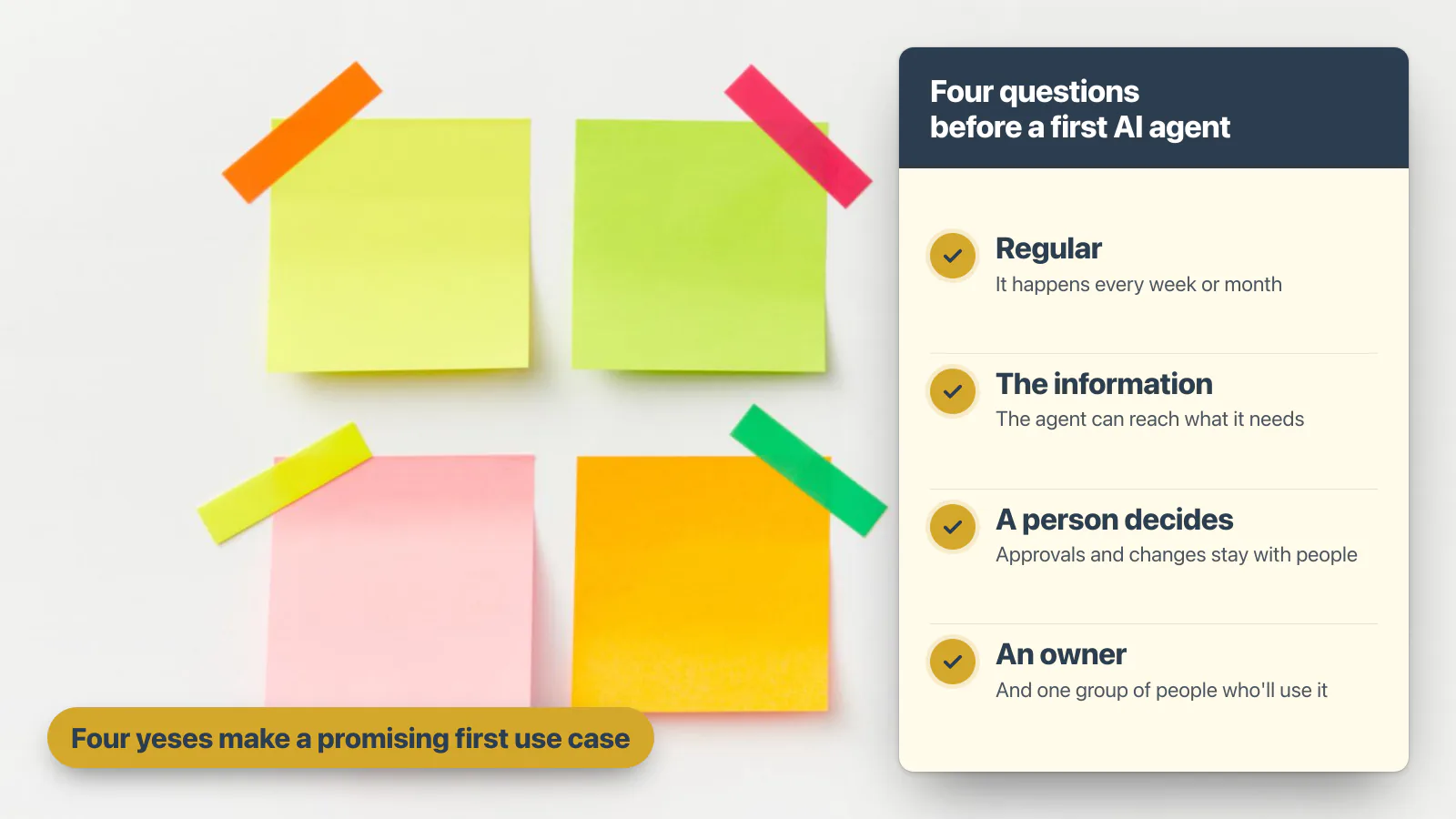
- Does the task happen regularly? Ideally, it is something a team handles every week or month. But a task that happens twice a year may not justify being your first agent.
- Can the agent access the information it needs? The answer might be in a policy, an onboarding page, a form, an approved record or an audit log. But the source must be available through the agent’s configured skills and permissions.
- Can a person remain responsible for the decision? Finding information, answering questions, summarising requests and preparing reports are sensible starting points. Keep approvals, rejections and important changes with people during the first rollout.
- Is there a defined group of users and a named owner? That’s because someone needs to check the agent’s answers, identify gaps and make sure it remains useful.
Four yeses make a promising first use case. If the information isn’t available, fix that first. If the task requires the agent to make important decisions or change business records, leave it for a later stage when the rules, controls and accountability have been properly assessed.
Why don’t most AI agent examples help you choose?
Most AI agent examples focus on customer support, sales and software development. Those are valid use cases, but they don’t necessarily help an HR, IT or Operations manager decide where to begin inside their own organisation.
Retool’s guidance on choosing an AI agent use case is sensible: consider how often the process runs, how complex it is, how long it takes and what happens if it goes wrong (Retool). But for an internal agent, two further questions matter: can the agent access the information it needs, and who will own the result?
McKinsey’s 2026 research also suggests that larger organisations are further ahead in scaling AI agents than smaller ones (McKinsey, August 2026). That makes a focused starting point particularly important for smaller organisations. Rather than trying to introduce agents everywhere, begin with one recurring internal job and measure what changes.
So the seven examples below focus on those everyday jobs.
7 AI agent examples worth giving a first agent
Each of these AI agent examples is a weekly job somewhere in a typical organisation. For each one: the problem as the team says it, what an agent can do, and what stays with a person.
1. “New starters ask HR the same first-week questions every intake”
Every new intake asks HR the same questions: where to be on day one, who to contact about a laptop and what the induction covers. So HR answers by email, again and again.
A Claromentis AI agent can be configured to answer common first-week questions using approved onboarding pages and induction information. It can also give the employee an answer and identify the source it used.
What stays with a person: questions about an individual’s contract, pay, personal circumstances or anything that needs an HR decision.
Of these AI agent examples, this is a strong first use case because the questions repeat, the information can be documented and HR can check the answers. Read our guide: Your Employees Keep Asking HR the Same Questions. Can AI Stop It?
2. “Nobody knows which requests are waiting, or for whom”
A purchase request is submitted. A week later, the person who raised it asks for an update. Then someone has to open the form, find its current stage and reply.
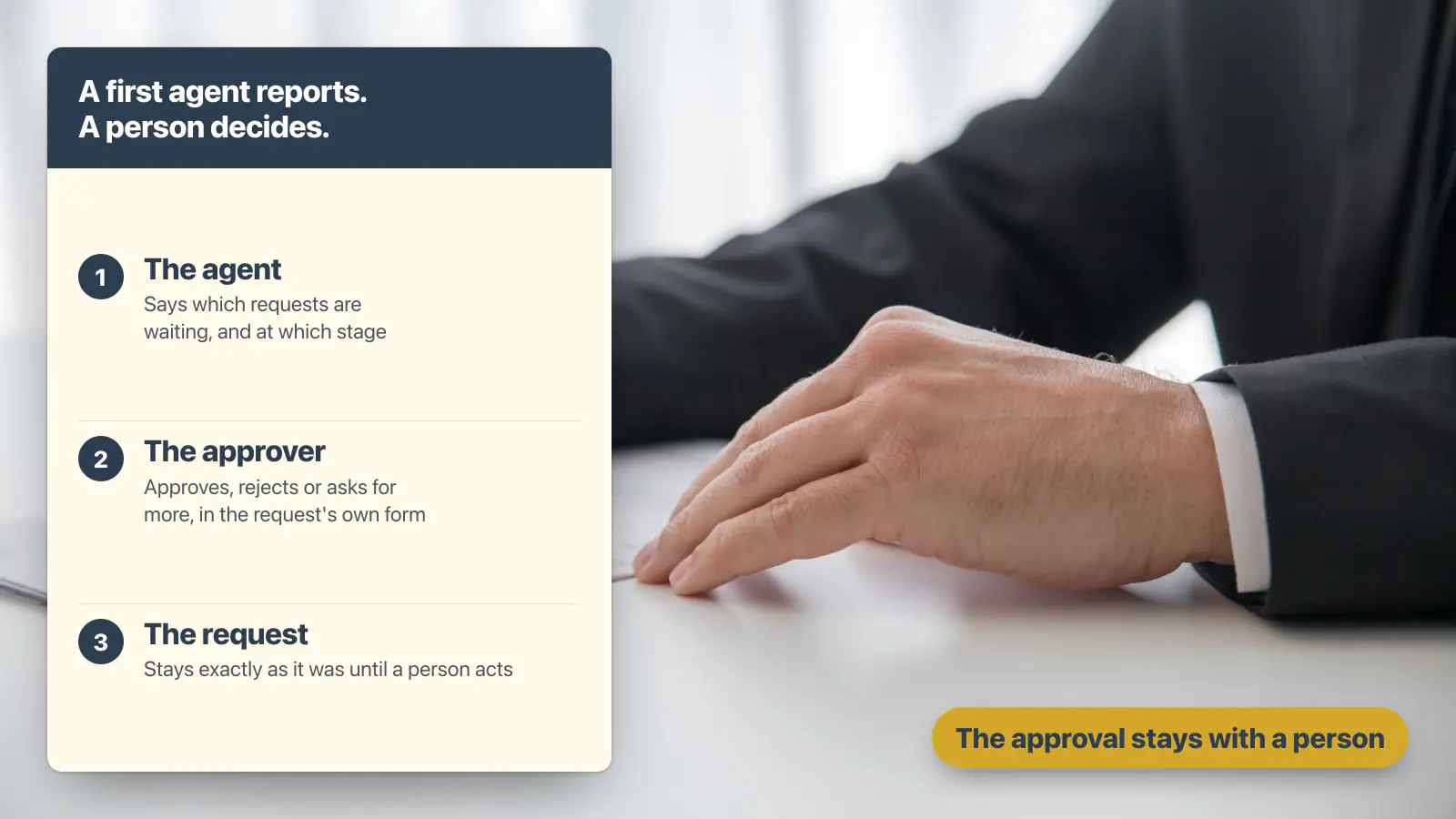
Where the request information is available through a configured Claromentis skill, an AI agent can help an authorised user find the request’s status, identify its current stage and see who needs to act next.
What stays with a person: the decision on the request and any action that changes its status.
If requests still live in email, there may be no reliable process for the agent to read. So put the process in place first. That’s where Business Process Automation comes in.
3. “Approvers get chased by email”
An approver has six requests waiting. Then each requester sends a follow-up email, and the approver has to work out which items need attention.
An AI agent can help an authorised approver find the requests waiting for them and see which stage each one has reached. Instead of searching through forms, they can ask a question in plain language.
We tested this boundary on our own Claromentis demo portal. When we asked the agent to approve a purchase request, it said it could not do so and left the request unchanged (Techspire IT test, 22 October 2026).
What stays with a person: the approval decision.
The aim is not to remove the approver. Instead, it is to make the information they need easier to find. Our guide to AI agent governance also explains why ownership, permissions and responsibilities matter.
4. “IT can’t say which applications people use”
A director asks whether employees are using a new learning area. So IT exports a log, builds a pivot table and prepares an answer. The information exists, but getting it into a useful report takes time.
Start by checking what the Claromentis Statistics application already provides, including logins, page views and popular news and documents. Where a question needs information from the intranet’s audit data, an agent configured with the relevant audit skill may be able to help authorised users ask for that information in plain language.
What stays with a person: interpreting the figures, deciding whether usage is good enough and choosing what to change.
Don’t introduce an agent just to duplicate a report that the existing application already provides. Instead, use it where it makes information easier to find or understand.
5. Later use case: Investigating why two people received different AI answers
Two employees ask the same question and receive different answers. Compliance or IT then wants to understand why.
An administrator may be able to use an appropriately configured agent and audit access to investigate which content and permissions were involved. Unlike the other AI agent examples here, this is a governance use case, not a general employee assistant. Also, access to audit information must be restricted to the people authorised to review it.
What stays with a person: deciding whether the permissions are correct and whether the underlying content needs to change.
We explored this issue in our guide to Enterprise RAG versus uploading documents to ChatGPT.
6. A creative productivity use case: A news post needs a picture today
Internal Communications has a news post ready to publish, but no suitable image. Meanwhile, the designer is working on another priority.
Where the image-generation skill is available and configured, an AI agent can help create an initial visual from a written brief. The communications team can then review it before publication.
What stays with a person: choosing the image, checking brand suitability and making sure it does not misrepresent the story.
This is useful for routine internal communications, but I would not make it the first agent for an organisation whose bigger problem is HR queries, request visibility or reporting.
7. “Someone rebuilds the same weekly figure in a spreadsheet”
Every Monday, someone exports a form, counts requests by status and pastes the figures into an email. It is repetitive work, even though the underlying information is already in the system.
An agent configured with the relevant form, charts and tables skills can help an authorised user request a summary in plain language.
On our own Claromentis demo portal, we asked an agent to show purchase requests by status as a chart and list the six waiting requests in a table. It then returned all 22 requests by status, with the source form identified. We also checked the counts against the form’s own list and they matched (Techspire IT test, 7 November 2026).
We also found a limitation. When asked for “this week’s figures”, the agent returned a chart of zeros and said there were no requests. So the wording exposed a problem with the way the question was interpreted.
What stays with a person: checking that the figures make sense, interpreting the result and deciding what action to take.
This is why a good first agent should be tested with the actual questions employees will ask, not just one prepared demonstration.
The seven AI agent examples, side by side
| Business problem | Who it helps | What the agent does | What stays with a person | Check first |
|---|---|---|---|---|
| New starters’ first-week questions | HR | Answers from approved onboarding information | Contracts, pay and personal cases | Is the induction content current? |
| Requests waiting for an update | Requesters, Finance and Operations | Finds the stage and next action from accessible request information | Decisions and changes to the request | Is the process recorded in a form? |
| Approvers chased by email | Approvers | Shows the requests waiting for attention | The approval | Are the approvers and stages defined? |
| Application usage questions | IT | Helps retrieve information from available intranet data | Interpreting the figures | Does Statistics already answer the question? |
| Different AI answers | Compliance and IT administrators | Helps investigate accessible content and audit information, where configured | Whether permissions are appropriate | Who is authorised to see the audit data? |
| Images for internal news | Internal Communications | Helps generate an initial visual | Brand and content approval | Is the brand guidance clear? |
| Weekly operational figures | Operations | Summarises accessible form data in a chart and table | Checking and acting on the figures | Can the agent access the correct data? |
Which jobs should wait for your second AI agent?
Not every business problem is a good first AI agent. Some need better information, a properly defined process or more controls before an agent should be introduced.
- A job whose information isn’t available. If the answer is not in an approved document, form, record or other accessible source, fix that gap first.
- A job that makes important decisions. For example, approving expenses, rejecting requests or changing business records introduces more risk. So start with an agent that finds information and prepares the decision for a person.
- A job that depends on many external systems. If the work crosses your CRM, finance platform and supplier portal, you may need integrations or a different automation approach before an intranet agent is suitable.
- A job nobody owns. If nobody will check the agent’s answers, identify problems and maintain its sources, don’t switch it on yet.
Still, these aren’t reasons to abandon AI agents. They’re reasons to get the foundations right before expanding.
Inside Claromentis: turning a weekly report into a question
Here’s the purchase-request reporting example, the last of the seven AI agent examples, running on our own Claromentis demo portal, using sample data. An administrator configured an agent with access to the purchase request form and the relevant charts, tables and date-and-time skills. A user could then ask for the figures in plain language through the AI Assistant.
The demonstration shows what is possible when the information is already in the system and the right skills have been configured. But it is not a claim that every agent automatically has access to every form or report.
Inside Claromentis: turning a weekly report into a question
The agent, as the administrator built it
The agent, on its page, as the administrator built itFour skills

The question, and the answer as it came
A person asks, in the AI Assistant

“How many purchase requests are there at each status? Show it as a bar chart, and list the ones waiting for approval in a table.”


Sample dataFour of the six are the portal's 2014 and 2015 sample requests, so their waits run to thousands of days.
What the agent did, step by step
On our demo portal, an administrator built an agent on one form and gave it four skills, charts and tables among them.A person asks for the figure in the AI Assistant, in plain words.The agent counts all 22 requests by status, and names the form as its source.It draws the bar chart it was asked for.Then it lists the six requests waiting for approval, with how long each has waited.22 requests, six waiting: we checked every count against the form's own list, and they all matched.
The useful part isn’t just that the agent produced a chart. It is that someone who would normally export the form, count the requests and prepare a report could ask for the information directly. The result still needs checking, as our test of the date wording showed.
Bring us a recurring report or question from your own business. Then we can show you how a similar use case could work in a configured Claromentis environment.
What does a first AI agent need before you switch it on?
Whichever of these AI agent examples you start with, make sure three things are in place before you introduce it: the information it needs, the people authorised to use it and someone accountable for its performance.
The information. An agent can only work with the information available through its configured skills and access. If a policy is two years out of date, it may repeat that outdated information. So start by reviewing the key documents, forms or records the agent will rely on.
The people. Claromentis AI features are enabled by an administrator. A portal includes the available skills, but agents still need to be configured for particular jobs. The administrator defines the agent’s instructions and selects the skills and user groups relevant to that job. Our AI Agents page also explains the approach.
The owner. Give one person responsibility for checking the agent during its initial rollout. They should review a sample of answers, identify missing or outdated information and make sure the right people can use it. Above all, the owner should know what the agent is expected to do and what it must leave to a person.
What changes for the team that does the job today?
The person who answers first-week questions, chases approvers or rebuilds the Monday chart does not disappear. The aim is to reduce repetitive work and give that person more time for the parts of the job that need judgement.
Someone still needs to own the information, check the answers and deal with exceptions. During the first month, plan for that responsibility rather than assuming the agent will look after itself.
This is also why I would introduce an agent department by department. So start with one team, one job and one owner who can tell you what has improved. Our guide to why intranet projects fail explains why adoption needs to be planned rather than assumed.
How will you know your first AI agent is working?
Decide what improvement you expect before switching the agent on. Then measure the same thing again after 30 days. Otherwise, you may know that people are using AI without knowing whether it is saving anyone time.
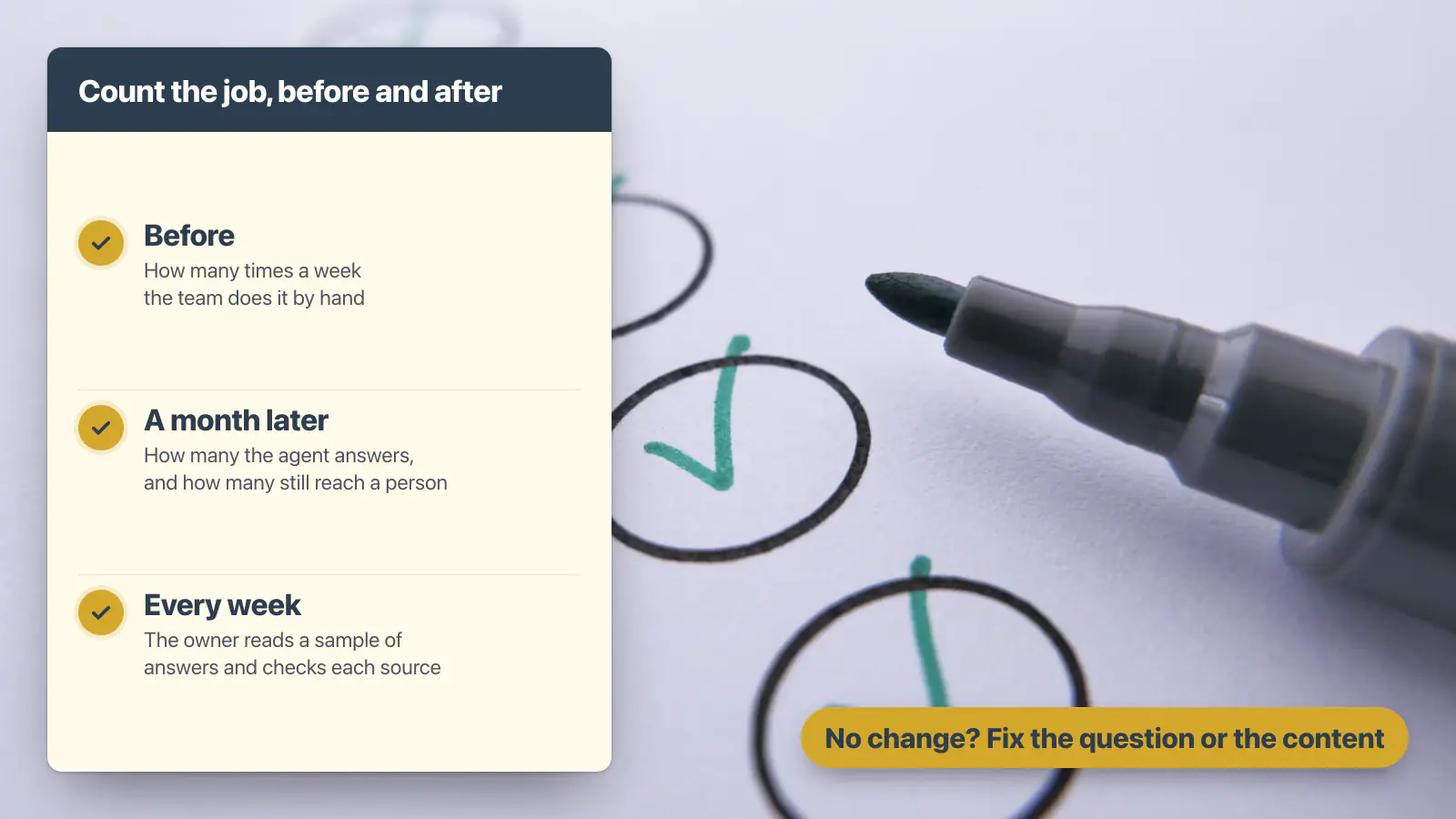
- Before launch: estimate how many times a week the team handles the task and how long it usually takes.
- After launch: count how many questions the agent answers, how many still reach a person and whether the time spent on the task has changed.
- Answer quality: have the owner review a sample of responses. Check whether the answers are correct, relevant and supported by the right source.
Claromentis records AI use in its audit log, which an administrator with the appropriate audit access can review. This can help you understand usage, but it does not replace checking whether the agent’s answers are useful or whether the original task has become quicker.
If the numbers have not improved after a month, investigate why. The agent may be answering the wrong questions, its sources may be incomplete, or the task may not have been a good fit. That is exactly why I recommend starting with one agent and measuring the result before expanding.
Frequently asked questions
What are some examples of AI agents at work?
Internal AI agent examples include answering new starters’ questions from approved onboarding information, finding the status of requests, helping approvers see what is waiting and preparing operational reports from accessible data. Other use cases include helping administrators investigate AI answers and generating visuals for internal communications. Still, the best starting point is a recurring job with clear information and a named owner.
What should my first AI agent do?
Start with one recurring task that takes time from a team every week or month. Make sure the information is available through sources and skills the agent can use, a person remains responsible for important decisions and someone owns the agent. For example, HR questions and request-status enquiries are two sensible starting points.
Can an AI agent approve requests?
An agent can help an authorised person find requests waiting for approval and understand their status. But for a first use case, keep the approval decision with a person. On our Claromentis demo portal, an agent asked to approve a purchase request declined and left the request unchanged.
Do we need to tidy our content before using AI agents?
You do not necessarily need to review the entire intranet before starting. Begin with the documents, forms and records the agent will rely on. Then check that they are accurate, current and accessible to the right users. An agent can repeat outdated information just as easily as it can repeat accurate information.
Are AI agents worth it for a small business?
They can be, if they solve a recurring problem that takes time away from a small team. Start with one task, measure how much time it takes today and compare the result after introducing the agent. A focused use case is usually a better starting point than trying to automate several departments at once.
Do Claromentis AI Agents come ready-made?
Claromentis provides the available skills, but an administrator needs to configure agents for the jobs the organisation wants them to perform. That includes defining the instructions, selecting the relevant skills and deciding which users or groups can access each agent. Techspire IT can also help you identify and configure a suitable first use case.
The bottom line
Your first AI agent should not be a technology experiment. It should solve one recurring business problem that your team already understands.
Choose a task that happens regularly, make sure the agent can access the right information, keep important decisions with people and give one person responsibility for the result.
Start small, measure the improvement and expand only when the first use case is working.
Bring us one business problem. We’ll show you how an AI agent could help.
Is HR answering the same questions every week? Are employees chasing requests that are already sitting in a form? Is someone rebuilding the same report every Monday?
You do not need a fully developed AI strategy to start. Bring us one recurring task that takes time away from your team.
Techspire IT will walk you through how that use case could work in Claromentis, including the information the agent would need, the skills it would use, who could access it and which decisions should remain with people.
See a working Claromentis environment and discuss your first use case with an experienced Claromentis partner.
How we researched this
Methodology: the Claromentis examples are first-party tests on our own Claromentis demo portal with sample content, not customer deployments or independent security certifications. We built or asked the agent, then recorded the question, the answer and the source it named (22 October, 1 November and 7 November 2026, and the screens on our AI agents page, captured 19 October 2026). On 7 November we also checked every count the agent gave against the form’s own list. For the wider picture, we captured the Google results pages for “AI agent examples” and “AI agent use cases” in the US and the UK through DataForSEO on 6 November 2026. We read the 22 ranking pages: a limited sample of our own, not a study of all AI agent examples. 20 of the 22 talk about customer support, and none mentions an intranet.