
TL;DR: You can upload documents to ChatGPT, and for one person’s task it is often the right tool. ChatGPT also connects to company applications on supported business plans. The question changes when your entire workforce needs answers from company information. Where does that information live? Who can see it? Is it the current version? And how does an employee find the answer without searching multiple places? An intranet’s AI approaches this from the company’s existing information environment. Claromentis brings company information, policies, workflows and employee applications together in an intranet, with AI answering from the content and permissions the organisation maintains. You may not need Claromentis just for AI. You may want it when your employees need one place for company information.
Sooner or later someone in a meeting asks it: “Why don’t we just upload our documents to ChatGPT?” It’s a fair question, and the honest first answer is that you can.
For seven years I ran Claromentis, as the customer, for more than 850 people across 20 countries at a multinational healthcare group. Today I sell it as the founder of Techspire IT, an Authorised Claromentis Partner, including the enterprise RAG built into its intranet, so weigh what follows with that in mind.
This article compares the options from the perspective of a company deciding how employees should access internal information. The important questions are where the information lives, who can access it, whether it is current and how employees can verify the answer. I read OpenAI’s own documentation on 31 October 2026, and none of the nine ranking pages I opened compares the options this way.
Key Takeaways
- ChatGPT can work with uploaded documents and supported connected applications.
- ChatGPT is a strong tool for drafting, analysis and work across applications.
- Company-wide questions introduce different considerations: where information lives, who can access it and whether it is current.
- An intranet’s AI can answer from the content maintained in that intranet, within its supported permissions, and show sources.
- An administrator can ask an AI agent who asked what, and which articles sat behind each answer.
- Neither system automatically knows everything about your organisation.
- Claromentis is worth considering when employees need a shared intranet for company information, policies, workflows and internal knowledge.
- The practical question is whether it solves a problem your organisation actually has.
Can we just upload our documents to ChatGPT?
Yes. To upload documents to ChatGPT, you attach a file to a chat or add it to a project, then ask questions about it (OpenAI, Uploading files and audio to ChatGPT, 2026). It’s quick, it needs no set-up and it’s good at one person’s task: summarising a contract, comparing two quotes or analysing a spreadsheet.
A team can share a project, which holds up to 40 files on a business plan (OpenAI, Projects in ChatGPT, 2026). So for a small team working from a small set of documents, that may be all you need.
Is it safe to upload documents to ChatGPT at work?
On a business plan, largely yes. OpenAI says it doesn’t use ChatGPT Business, Enterprise or Edu workspace data to train its models by default, and workspace admins control how long data is kept (OpenAI, Enterprise privacy, updated 8 January 2026). On free and personal plans, however, training depends on your settings.
Before anyone uploads anything, set your own approved usage policy. Your AI usage policy should name the approved accounts and also list what staff never paste anywhere. So data protection alone isn’t the reason to look at an intranet’s AI. Instead, the bigger question is how your people find company information.
When is ChatGPT the right tool for your documents?
When the work is general: drafting, analysis, coding or anything outside your own documents. ChatGPT is a strong assistant for that, so I’d keep using it.
Its business plans also go further than uploads. Depending on your plan and workspace settings, connected apps reach tools such as Google Drive, SharePoint, Microsoft Teams, Slack and Box (OpenAI, Connected apps in ChatGPT, 2026). OpenAI’s Company Knowledge is a plugin that answers organisation-specific questions from those sources, and a member retrieves only what they can already open there (OpenAI, Company knowledge in ChatGPT, 2026).
If your knowledge is spread across those apps and you’re happy with it there, this may be the complete answer.
The question is not whether ChatGPT can work with company information. It can. The question is whether your organisation needs a shared intranet for that information, and whether AI should help employees find it there.
What changes when your whole company needs answers?
Uploading documents to ChatGPT suits one person and one file. But a whole company is a different job. Picture a new employee in their first month, who needs to know:
- how to request annual leave
- which expenses they can claim
- where to find the current version of a policy
- where to complete mandatory training
- who to contact for IT support
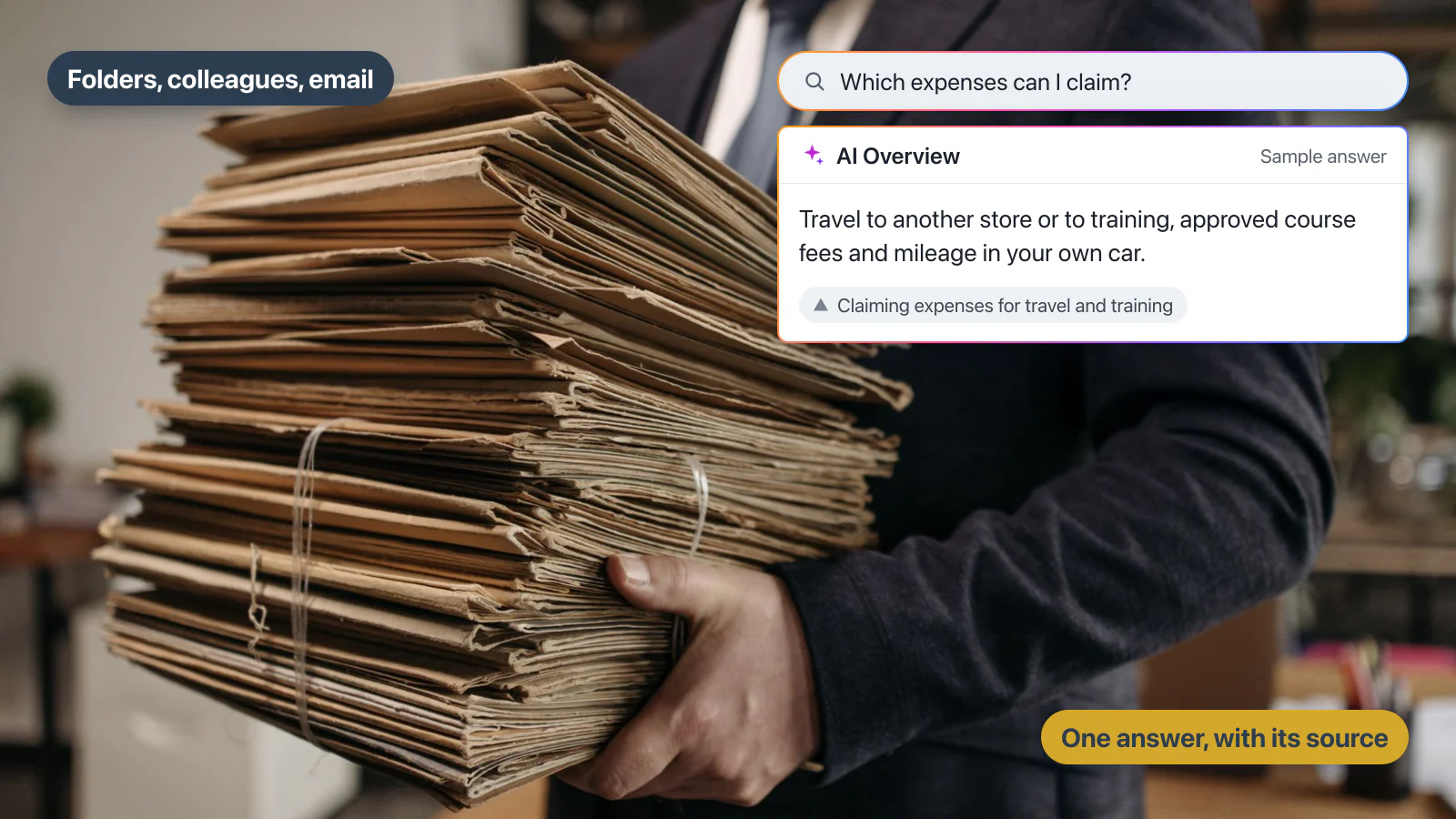
Without a clear home for that information, they search folders, ask a colleague, email HR or try several applications.
When the same questions reach the same people every month, employees are spending time retrieving information that already exists. The problem is not necessarily a lack of AI. It may be that employees do not have a reliable way to find the information they need.
Claromentis approaches this from the intranet. Company information is maintained in the intranet, and employees can ask questions through AI Search or the AI Assistant. Answers can include links to their sources and follow the supported intranet permissions (Claromentis, AI intranet search, 2026). The practical value is a more direct way for employees to find company information.
What is enterprise RAG, in plain English?
Enterprise RAG is AI that looks up an organisation’s own content, generates an answer from what it finds and shows where that answer came from. The term comes from retrieval-augmented generation, described in a 2020 research paper (Lewis et al., Retrieval-Augmented Generation for Knowledge-Intensive NLP Tasks, 2020). In this article, an intranet’s AI means enterprise RAG built into an intranet.
ChatGPT’s uploaded files and connected applications can also retrieve information before answering. The comparison is therefore not simply ChatGPT versus RAG. Instead, it is about which information the AI reads, which permissions apply and who maintains that information.
How do ChatGPT uploads and an intranet’s AI compare on eight points?
Neither option automatically knows everything about your business. The answer depends on which sources are connected, what content is available and what access each person has.
OpenAI’s details below come from its own help pages, read on 31 October 2026, and Claromentis’s from its AI search page and product documentation. Both change, so check them.
Points 1 to 4: what it reads and who sees it
| Point | ChatGPT: files you upload, apps you connect | An intranet’s AI (Claromentis) |
|---|---|---|
| 1. Company data | Uploaded files sit in a chat or project. Connected apps add what those apps hold: documents, messages, email | The content on your intranet, such as policies, documents and Knowledge Base articles. Apart from Claromentis’s help centre, it doesn’t answer from systems outside the intranet |
| 2. Permissions | Every member of a shared project can view and download its files. A connected app applies that app’s own permissions | AI Search and AI Overview follow the intranet’s permissions as you’ve set them, so restricted content stays out of that person’s results. A folder left open is open to the AI too |
| 3. Sources | Answers can include citations or source links, and OpenAI suggests opening them to check | AI Overview links to its sources. When the system isn’t confident enough, it shows ordinary search results instead |
| 4. Administrator controls | Admins choose which apps are available. Enterprise and Edu add role-based access, SSO and SCIM | Every AI feature is off until an administrator switches it on, one feature at a time |
Points 5 to 8: how it’s kept and checked
| Point | ChatGPT: files you upload, apps you connect | An intranet’s AI (Claromentis) |
|---|---|---|
| 5. Content maintenance | Whoever uploads a file keeps it up to date. Connected content is maintained in each app | Your team maintains the content in the intranet. Claromentis doesn’t do that for you |
| 6. Current information | An uploaded file stays as uploaded until someone replaces it. A connected app reads what that app holds | It answers from what’s published now, so it’s only as current as your content |
| 7. Employee access | A member of the ChatGPT workspace, who signs in to each app that requires it. Availability depends on plan and workspace | Anyone with an intranet login, once an administrator has switched the feature on. It needs [Claromentis 11](https://techspireit.co.uk/claromentis-11-whats-new/), and the AI Assistant needs version 11.1 |
| 8. Audit and governance | Business admins can view, export and delete workspace conversations. Eligible Enterprise and Edu workspaces can review supported events through the Compliance Platform | The prompts and text people enter in AI areas go into the audit log’s AI view, which only users with Audit Log Admin permission can open. On our demo portal, questions typed into AI Search appeared there under the asker’s name. Check what’s recorded for each feature you use |
So neither column wins every row. An intranet’s AI tends to fit when your company information already lives, or should live, in one maintained place.
Not sure which route fits? Then answer the four questions below.
Interactive: Where should your staff's answers come from?
Four questions to find your route
Question 1 of 4
Where does your company knowledge live today?
Question 2 of 4
Who needs to ask it questions?
Question 3 of 4
What does IT need to control?
Question 4 of 4
When a policy changes, what should happen?
Your result
ChatGPT with file uploads is probably enough
This is one person's or one small team's task, so you may not need anything more. Also name the approved accounts in your AI usage policy.
What an AI usage policy should sayChatGPT's connected apps may be the complete answer
Your knowledge already lives in apps your people use, so start there. Check your plan covers them, then run the two-person test further down this page.
If an intranet's AI fits
An intranet's AI may be worth considering
Your people need one maintained home for company information, with access you control. ChatGPT can still do the drafting and analysis.
Test an intranet's AI on your own questionsHow enterprise RAG works in an intranetYou may want both
Some of this is individual work, while some is company-wide. So keep ChatGPT for the first, and test an intranet's AI on the second.
Test an intranet's AI on your own questionsHow enterprise RAG works in an intranetNothing is stored or sent.
How do you run the two-person test?
Whether you upload documents to ChatGPT or use an intranet’s AI, test it the way your staff will use it, with two accounts that have different access.
- Choose a question where two people should get different answers, because their access differs.
- Ask it as the first person, in their own account, and open the source behind the answer.
- Then ask the same question as the second person, and open that source too.
- Ask about a document you replaced last month, and see which version it quotes.
Running an intranet for 850 people across 20 countries, I found that the same question can have two right answers, because two people are allowed to see different things. That’s the hard part nobody warns you about, so it’s the test I’d run first.
We ran a version of it on a Claromentis portal in August 2026. A user limited to one client’s content got that client’s details and none of the other’s, and the AI Overview said it had no information on the other client.
Inside Claromentis: one question, two people
We put one question to our demo portal as two sample employees: Austin in Marketing and Joe in Finance. The portal has an open expenses article for everyone, whereas the Finance-only article is one we added to its Knowledge Base for this test.
Inside Claromentis: one question, two people


"Expense claims exceeding £100 require approval from your area manager."


"An expense claim over £500 requires sign-off from the Finance Manager."
Austin opens the Finance article directly:

One question, asked twice on our demo portal.Austin, in Marketing, is told the area manager.That source is an article open to everyone.But Joe, in Finance, is told the Finance Manager.Joe's source is an article only Finance can open.So Austin tries that Finance article directly, and the portal refuses.One question, two right answers, and the Finance article stayed with Finance.
Both answers are right for what each person can see. Austin’s came from the open article, while Joe’s came from the Finance-only one. And when Austin opened that article’s address directly, the portal refused: “You don’t have permissions to view this article.” The audit log’s AI view then showed each question under the person’s name.
This is AI Search and its AI Overview, on our own demo portal with sample content, so run the same test on your own permissions.
How do you find out why two people got different answers?
You ask. This is the part I’d put in front of your IT and compliance leads.
As the administrator on our demo portal, we opened the AI Assistant, chose an AI agent we’d built with the audit skill and typed one plain question: “What did Austin Glover and Joe Bloggs ask the AI today, and which articles went to the AI for each of them?”
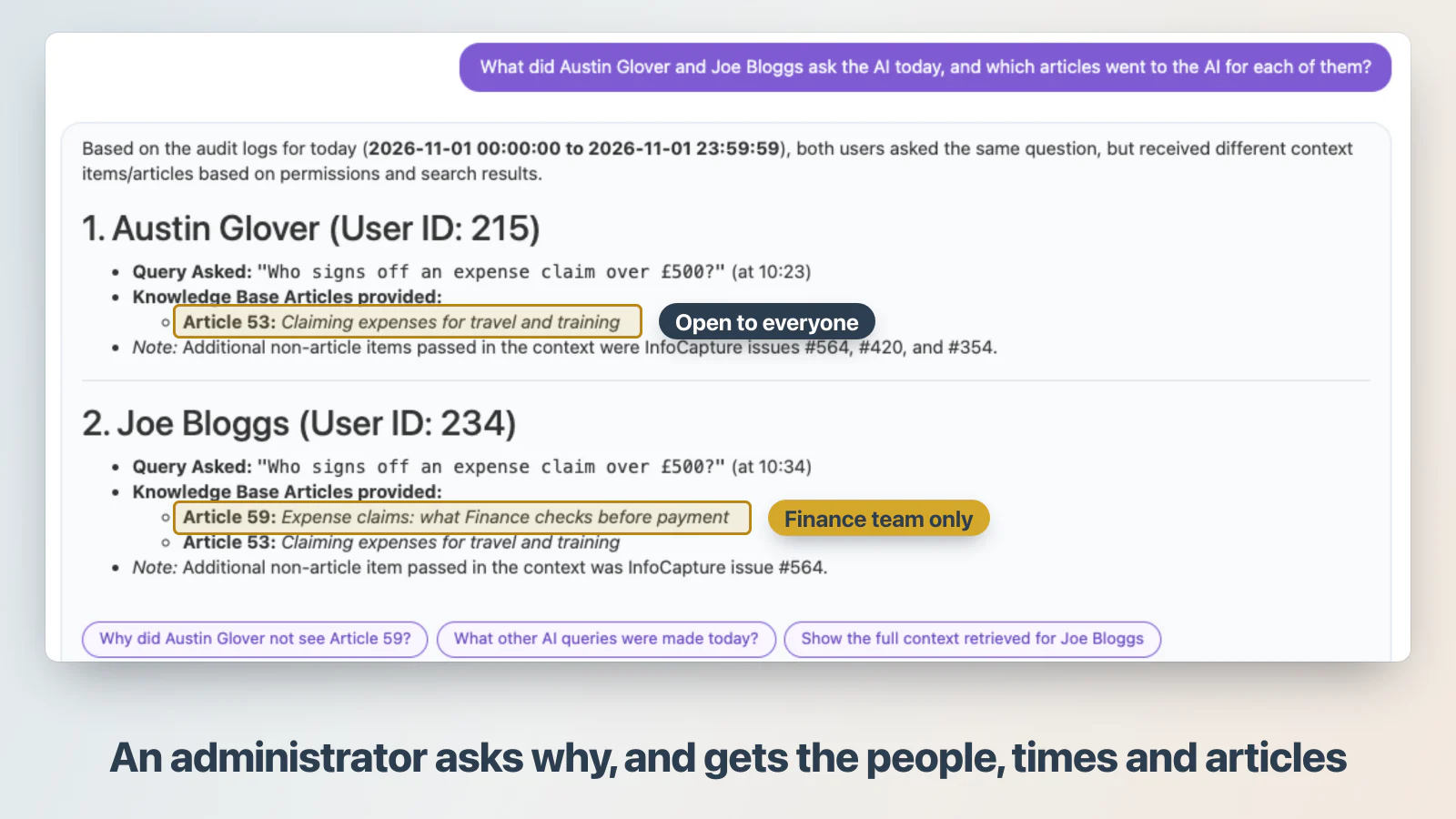
It returned both questions, the times and the articles behind each answer. Austin’s answer drew on the open expenses article, while Joe’s drew on the Finance-only article as well. We then checked that against the raw audit log and it matched. Then we asked why Austin didn’t see the Finance article, and it pointed to the access on that Knowledge Base category.
So when someone asks why the AI told two people two different things, an administrator doesn’t have to read log rows. They can ask, and get the people, the times and the sources back in a chat.
Your portal won’t arrive with that agent. It arrives with the skills, and an administrator builds the agent and chooses who may use it, at no extra licence cost. A person who can’t see the audit log can’t get this answer: when a Marketing user asked an audit agent on our portal, it said it couldn’t reach the log. Still, check it as you’d check any AI answer: one follow-up reply put the open article in the wrong category.
Want to test this with your own policies? Explore the Claromentis playground.
What about data, governance and what neither system fixes?
Where does your data go in an intranet’s AI?
Claromentis’s optional AI features use Google’s Gemini models on Google Cloud’s Vertex AI. AI requests are processed in the EU for UK-hosted and EU-hosted customers and in the US for US-hosted customers, while your core data and records remain hosted in the region you chose. Your data also isn’t used to train or fine-tune the models without your permission.
Clause 9.1 of the data processing addendum has the detail, including where search indexing runs. The questions that IT and compliance ask are also answered on our Enterprise RAG page.
What won’t ChatGPT uploads or an intranet’s AI fix?
Whether you upload documents to ChatGPT or use an intranet’s AI, AI doesn’t automatically solve:
- outdated policies
- missing documents
- contradictory information
- poor content ownership
- incorrect permissions
- incomplete knowledge
So your organisation stays responsible for its content, and permissions must be set correctly. In our August test, the AI summarised a staff member’s contact details for a client because the directory was readable, and stopped once we changed the permission.
Even then, check AI answers where it matters. A source link helps you verify an answer without guaranteeing it, and what each product can do depends on its configuration and plan. Our guide to what an AI-powered intranet actually does explains how grounding works, and our AI knowledge base guide covers who gets to see which answer.
As an Authorised Claromentis Partner, we help organisations assess their information, configure Claromentis and introduce AI appropriately.
Should you upload documents to ChatGPT or use an intranet’s AI?
Choose ChatGPT when
- Employees need general-purpose AI.
- They work across multiple applications.
- Individual tasks are the main requirement.
- Existing connected applications already meet the company’s needs.
Consider an intranet’s AI when
- Employees need a shared home for company information.
- Policies and procedures are maintained in the intranet.
- Employees need answers grounded in that content.
- The organisation needs to apply its intranet permissions.
- The company wants AI alongside its employee applications and workflows.
Claromentis is worth evaluating when the organisation needs the intranet itself, not simply an AI assistant. Many organisations will use both, and your AI policy should say which is for what.
Frequently asked questions
Can ChatGPT connect to SharePoint or Google Drive?
Yes, through connected apps, using what the person connecting can already open. However, which apps appear depends on your plan, region and workspace settings.
Can an administrator see why the AI gave someone an answer?
Yes, for AI Search. The audit log’s AI view shows each question under the person’s name, with the content sent to the AI. With an AI agent built on the audit skill, an administrator can ask for that in plain English.
Can we test an intranet's AI on our own documents?
Yes. In the free 30-day Claromentis playground you can add your own documents, ask questions about them and open the sources behind each answer. If you need longer than 30 days, we’ll ask Claromentis for an extension.
Is enterprise RAG always necessary?
No. If the need is one person’s task, or your knowledge already lives in apps ChatGPT can connect to, you may not need it. It earns its place when employees across the organisation need answers from content you maintain in one shared place.
Does Claromentis automatically know everything about our organisation?
No. Its AI answers from what’s on your intranet, within the permissions you’ve set. Anything kept elsewhere is out of reach until it’s brought onto the intranet, which is part of how we set it up.
What happens when content is outdated?
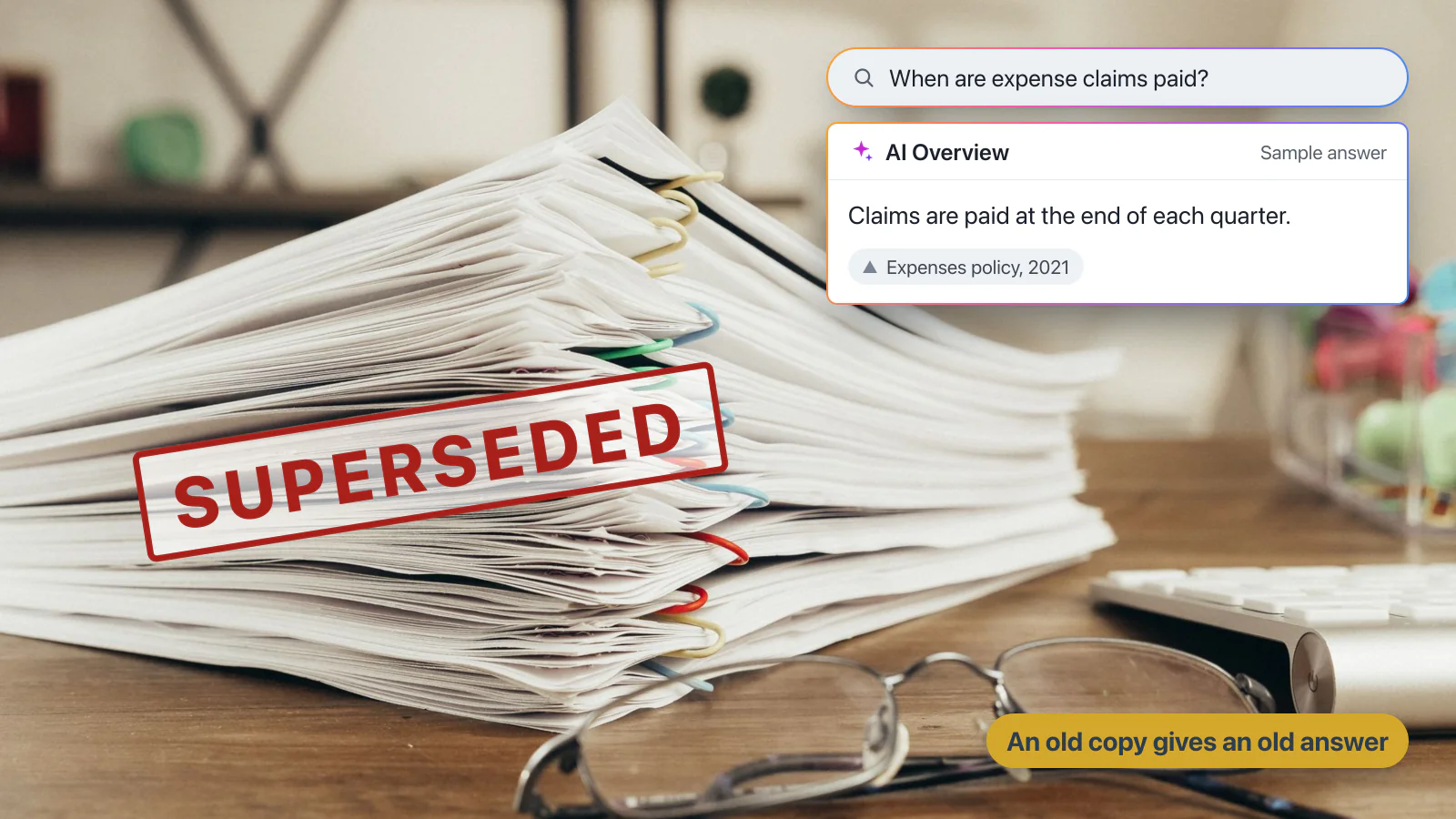
The AI can give an out-of-date answer, because it answers from what’s there. However, anyone can open the source and see how current it is. So the fix is a named owner and a review date for each document.
The bottom line on uploading documents to ChatGPT
Upload documents to ChatGPT when one person has one task. Connect ChatGPT to your applications when your knowledge lives across those applications and you want to work with it there. Consider an intranet’s AI when your employees need answers from company information maintained in a shared intranet, within the access your organisation controls.
You may not need Claromentis just for AI. But if your organisation needs one place for company information, policies, workflows and internal knowledge, it is worth seeing how Claromentis works in practice.
Test AI against your own company information
ChatGPT may be the right tool for your employees. But if your organisation needs answers from its own policies, procedures and intranet content, it is worth seeing how that works in practice.
In the free 30-day Claromentis demo playground, you can:
- Ask questions about company information.
- See the AI answer and its sources.
- Explore AI Search inside an intranet.
- Test the experience before deciding whether it fits your organisation.
Bring the five questions your employees ask most often. See how Claromentis answers them. Your login arrives within 24 hours, with no card to enter and nothing to cancel.
Techspire IT is an Authorised Claromentis Partner. We can help you explore the platform and assess whether it fits your requirements.