What is business process automation software?
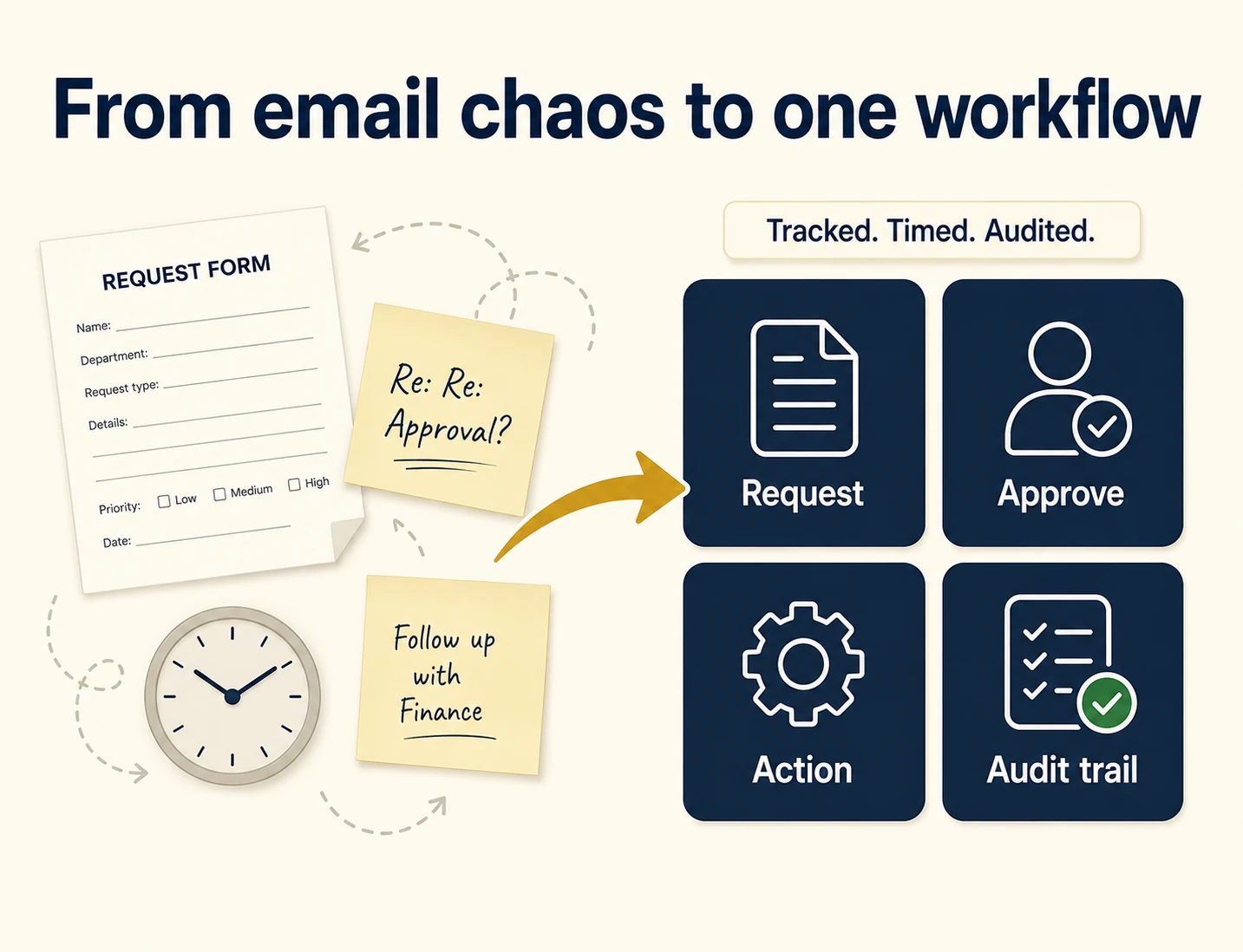
Business process automation software is a platform that turns a manual, repeatable process into a digital workflow that runs itself. You build a form, set the approval steps, and the software routes each request, chases the right people, records every action, and shows you what’s stuck. The point isn’t to replace judgement. It’s to remove the chasing, the lost emails, and the “who has this now?” so the work moves and leaves an audit trail behind it.
The best tools do this without a developer. A non-technical owner builds and changes the workflow, so the process can keep up with the business.
Why does it matter for UK businesses in 2026?
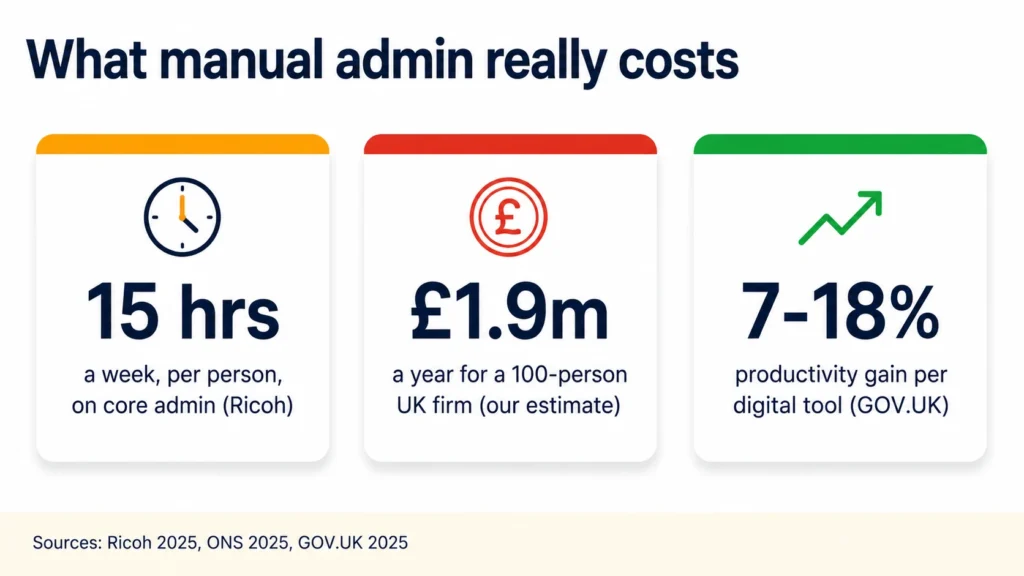
Because manual admin is a large, measurable cost. UK employees spend around 15 hours a week on five core admin tasks, document handling, manual processes, chasing approvals, finding information and managing inboxes (Ricoh, 2025). At the top end, SafetyCulture’s YouGov research models UK managers’ wasted time at £13.2 billion a year (SafetyCulture, 2025).
Put numbers on your own business and it gets real. By our estimate, a 100-person UK firm carries roughly £1.9 million a year in admin time. That uses the ONS median full-time salary of £39,039 (ONS, 2025), plus employer on-costs, against the Ricoh 15 hours a week. Automation won’t reclaim all of it. It targets the repeatable, rule-based slice, and the upside is real: UK SMEs see a 7 to 18% productivity gain per advanced technology they adopt (GOV.UK, 2025).
What should good BPA software do?
Quite a lot, and most tools only do part of it. Before comparing brands, know what you’re looking for. The right platform should handle the whole process, not just one form or one team:
- No-code workflow building, so your team manages processes without calling on developers.
- E-forms that replace paper and email requests across every department.
- Multi-stage approvals: role-based, sequential or parallel, and fully tracked.
- SLA timers with traffic-light status and automatic breach alerts.
- Real-time dashboards showing what’s moving, what’s stuck and what’s overdue.
- Full audit trails and version control on every workflow.
- Integrations with the tools you already run.
If a platform can’t do most of this without a developer each time, it’ll add friction rather than remove it.
The main BPA software tools in 2026
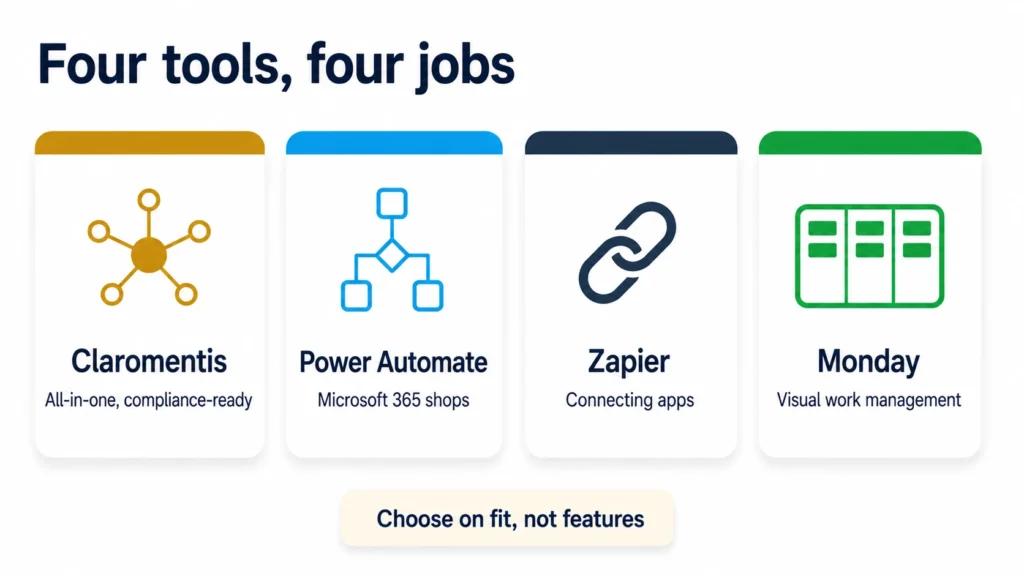
Four tools cover most UK shortlists. They’re built for different jobs, so the honest answer is “it depends on your business”, not “one wins”.
Claromentis (implemented by Techspire IT)
Claromentis is an all-in-one digital workplace: its automation module, InfoCapture, is a no-code builder, and it sits alongside the intranet and an LMS on one login. SLA timers, escalation rules and full audit trails are built in, which suits regulated work. Techspire IT, the UK partner, runs the implementation end to end, typically live in 6 to 8 weeks. Best for teams that want a managed, compliance-ready platform rather than a product handed over to configure alone.
Microsoft Power Automate
If you already run on Microsoft 365, Power Automate connects SharePoint, Outlook, Teams and hundreds of apps, and it has built-in approval flows. It’s strong for Microsoft-centric automation. It isn’t an intranet, an LMS or a compliance suite, and governing larger, audited workflows usually pulls in Power Platform administration. Best for Microsoft-heavy businesses automating within that stack.
Zapier
Zapier is an integration tool more than a full process platform. It connects apps that don’t natively talk to each other, and it’s quick to set up. Audit logs come on its Team and Enterprise tiers, but it doesn’t offer SLA timers or process-compliance features. Best for lightweight automations and joining apps alongside a proper BPA tool, rather than instead of one.
Monday.com
Monday.com is a visual work-management platform with automations for task routing and notifications. Audit logs and deeper compliance controls sit on its Enterprise plan, and it holds SOC 2 and ISO certifications. It’s less suited to document-heavy, regulated approval workflows. Best for teams focused on project visibility and lighter process automation.
How do the tools compare for UK businesses?
It comes down to three things: your team size, your compliance needs, and the support you actually get after you sign up.
| What to weigh | Claromentis (via Techspire IT) | Power Automate | Zapier | Monday.com |
|---|---|---|---|---|
| Best fit | All-in-one, compliance-ready | Microsoft 365 shops | Connecting apps | Visual work management |
| No-code for non-technical staff | Yes | Partly | Yes | Yes |
| SLA timers and breach alerts | Built in | Build your own | No | No |
| Audit trail and compliance | Built in | Via governance setup | Higher tiers | Enterprise tier |
| Intranet, BPA and LMS in one | Yes, one login | No | No | No |
| Managed UK implementation | Yes, end to end | Partner-dependent | Self-serve | Self-serve |
| Pricing model | Annual licence | Usage-based | Usage-based | Per seat |
| Typical go-live | 6 to 8 weeks | Varies | Fast | Fast |
 Ask anything
A faithful model of the Claromentis InfoCapture ticket screen, built from the real one. The ticket ID, the dates and the two names are sample data for a UK SME. The fields, the seven tabs, the Traffic light states and their colours are the product. The hour is compressed into a few seconds. Not a live system. The real one is in the free 30-day demo playground.
Which business process automation software should you choose?
Start from your situation, not the feature list. A quick way to decide:
- You want one platform and a partner to set it up. A managed, all-in-one tool like Claromentis fits, especially in regulated sectors.
- You’re already deep in Microsoft 365. Power Automate is the natural first stop for automating within that stack.
- You mainly need to connect apps that don’t talk. Zapier does that cheaply and fast.
- You want visual task and project tracking with light automation. Monday.com is built for that.
One step first, though. Before you choose a tool, decide what to automate first: the wrong process automated well still wastes money. And remember automation is one part of a wider digital workplace, alongside your intranet and learning.
For the Claromentis route specifically, year one typically runs £8,000 to £25,000 for 30 to 100 users across the whole platform, with the Claromentis InfoCapture module doing the workflow work and employee onboarding a common first build. Per-user rates depend on the modules you switch on. It also depends on scope: migrating data from an existing system, connecting other systems, and how many workflows and courses you need all move it, so we quote on your requirements.
What is different about business process automation for SMEs?
Not the software. What changes is who catches the mistake. A large firm has an operations team whose job is to spot the request that stalled. A UK SME has whoever happened to notice, and that person already has four other jobs on. The same missed approval that’s an irritation at 2,000 people is a real problem at 20.
It also isn’t the same thing as digitising your business processes, which is where a lot of smaller firms stop. Digitising puts the form on a screen. Automating gives the form somewhere to go next, with rules about who sees it and what happens when nobody does. A new supplier sign-off is the everyday version. Operations raises it, finance approves it, and today it lives in an email thread nobody owns.
So the process worth fixing first is usually the one that crosses two departments and belongs to neither. It is in nobody’s job description, which is exactly why it keeps slipping.
Why do most UK SMEs still run on email and memory?
Because the urgent beats the important, and a broken process never sends you an invoice. The gap is measured, though, not anecdotal. In 2024, 43% of UK SMEs surveyed by the British Chambers of Commerce had no plans to use AI at all. That was down from 48% the year before (GOV.UK SME Digital Adoption Taskforce, 2025). The direction of travel is right, but the base is low.
Size predicts it too. In 2023, 3% of UK firms with 10 to 19 staff had adopted robotics. Firms with 250 or more staff reached 16% (ONS, 2025). Robotics isn’t workflow automation, and I wouldn’t hang an argument on one number. The pattern repeats across that dataset, though, and it matches what you see in the wild. The smaller the firm, the more of its process lives in a shared inbox and somebody’s memory.
That’s not a moral failing. It’s what happens when nobody has an afternoon spare to map the mess. Email fills every gap where no system exists.
How do you score a process before you automate it?
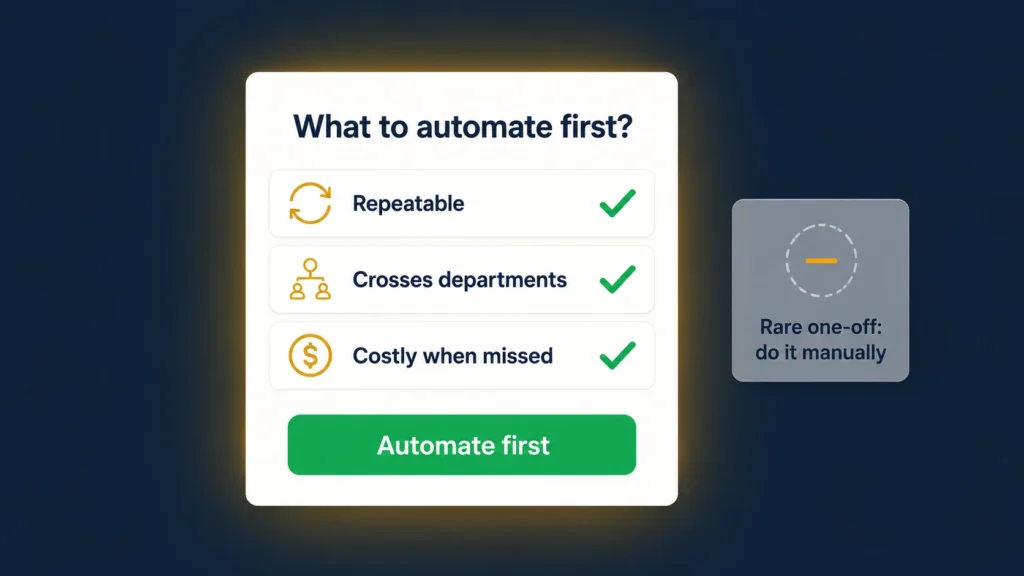
Three questions, and a process needs to pass all three. Does it happen often enough that the setup pays back? Does it cross a handoff between departments, where work currently dies? And does a missed step cost you something real: a late approval, a compliance gap, a customer waiting?
Score honestly and most UK SMEs land on the same shortlist. Approvals come first (leave, expenses, purchase orders), then recurring customer or supplier requests, then the joiner and leaver lifecycle. Do the joiner and leaver one early. The leaver half is where access quietly stays switched on after somebody has gone.
One rule decides whether any of it works: fix the process before you automate it. Process optimisation sounds like the boring half and it’s actually the whole job. Map the steps on paper, name who does what, mark where it breaks today. If you can’t draw it, you can’t automate it.
Should you automate the process or hire someone?
Usually both, in that order: automate the repetitive part, then hire for judgement. Automation suits repetitive, rule-based work, while people earn their salary on tasks that need adaptability and judgement (SkillSeek, 2026). Get that split wrong and you’re paying at both ends.
The timing sharpens the question in 2026. UK hiring intentions sit at a record non-pandemic low, with 57% of private-sector firms planning to recruit within three months, down from 65% a year earlier (CIPD via People Management, 2025). That follows the April 2025 National Insurance and minimum-wage rises. Liz Sebag-Montefiore of HR consultancy 10Eighty puts it carefully: investing in technology can help existing staff take on more, reducing the need for immediate new headcount.
Here’s the quick way to place a piece of work.
| The work is… | Hire a person | Automate the process | Leave it manual |
|---|---|---|---|
| Repetitive and rule-based | Overkill and costly | Best fit | Quietly eats hours |
| Needs human judgement | Best fit | Wrong tool | Fine for now |
| High volume, predictable | Hard to scale | Scales cheaply | Breaks under load |
| Rare (a few times a year) | Not worth a hire | Not worth a build | Just do it manually |
The trap sits at both ends. Hiring to paper over a broken process only hides it. Automating something that happens twice a year buys a build where a checklist would do.
Why do automation projects stall in smaller firms?
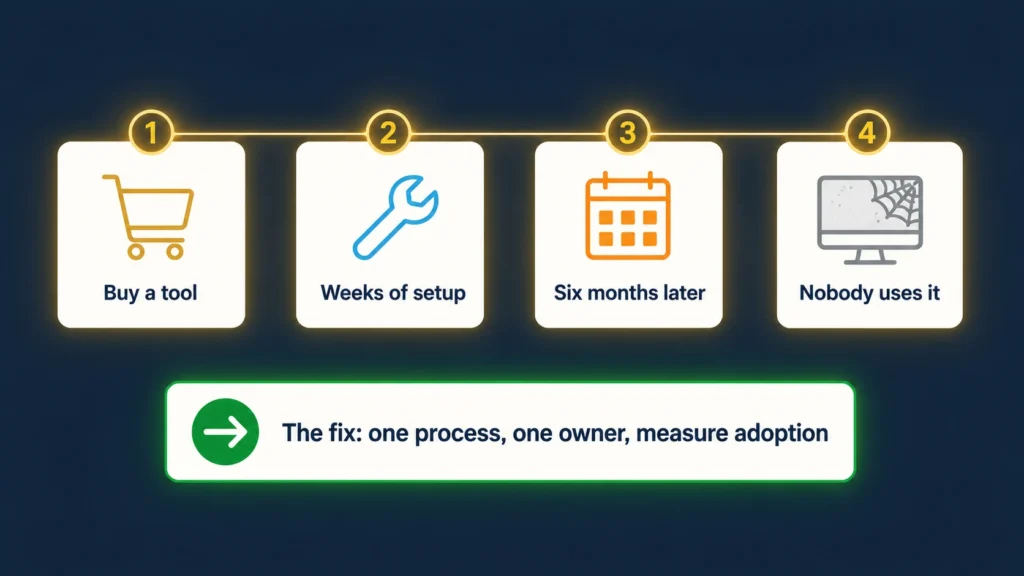
Rarely because the technology failed. They stall because the process was never clear and nobody owned the result. KPMG’s analysis of failed automation puts the top reason as treating it as an experiment or a side interest, with nobody tracking the benefit (KPMG, 2024).
At SME scale the arc is familiar. Someone gets excited, buys a tool, spends three weekends configuring it, and six months later nobody opens it. One automation specialist puts the test plainly: if your team needs a manual to use the automation, it has already failed (EasyScalers, 2025).
The fix is dull, which is probably why it gets skipped. Pick one process, define it, give it a named owner, then measure whether people still use it after a quarter. It’s the same discipline that decides whether a rollout sticks. We cover that in the guide to intranet adoption for UK SMEs.
Why scattered automation breaks when someone leaves
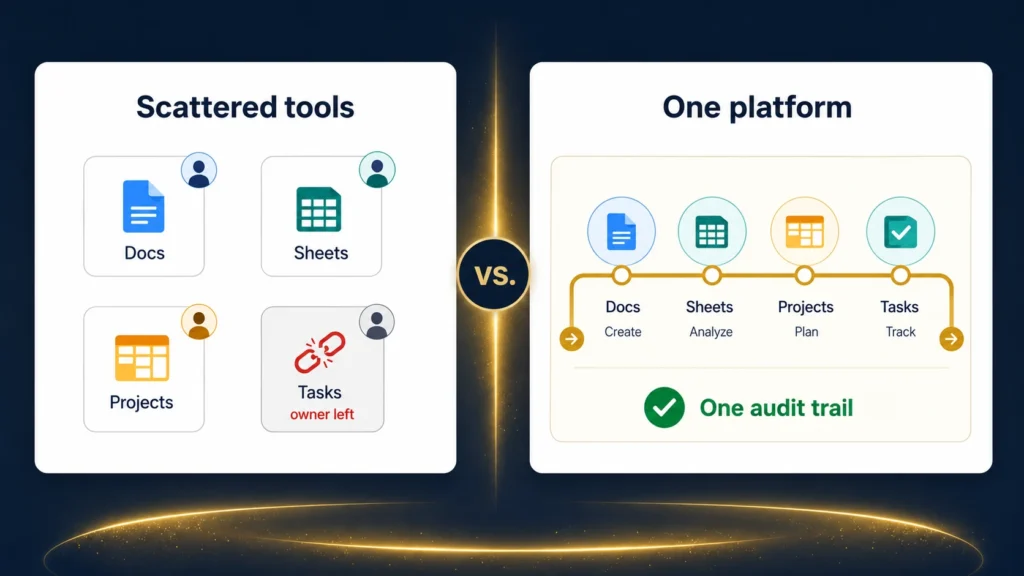
An automation tied to one person’s account is a single point of failure. Microsoft’s own documentation says it plainly: a flow becomes orphaned when its owner leaves the organisation, and it can then fail where it uses connections tied to that user’s account (Microsoft, 2026).
Now multiply that by a drawer full of point tools. Different people set each one up, and nobody wrote any of it down. Automation systems at this size are only as durable as the person who built them. In a 30-person firm that’s not a theoretical risk. It’s one resignation.
The alternative is keeping the automations inside the platform the team already uses. Then the workflow sits beside the documents, the directory and the record of who did what. One login, one owner of record, one place to look when something stops.
How should a UK SME get started with business process automation?
Treat it as an afternoon’s decision, not a transformation programme. Nobody automates a whole company at once, so you automate business operations one process at a time. The sequence is short and deliberately boring. It reads the same whether you employ 15 people or 250:
- List the three processes that hurt most, then pick the one that passes all three questions above.
- Map it on one page: who does what, in what order, and where it breaks today.
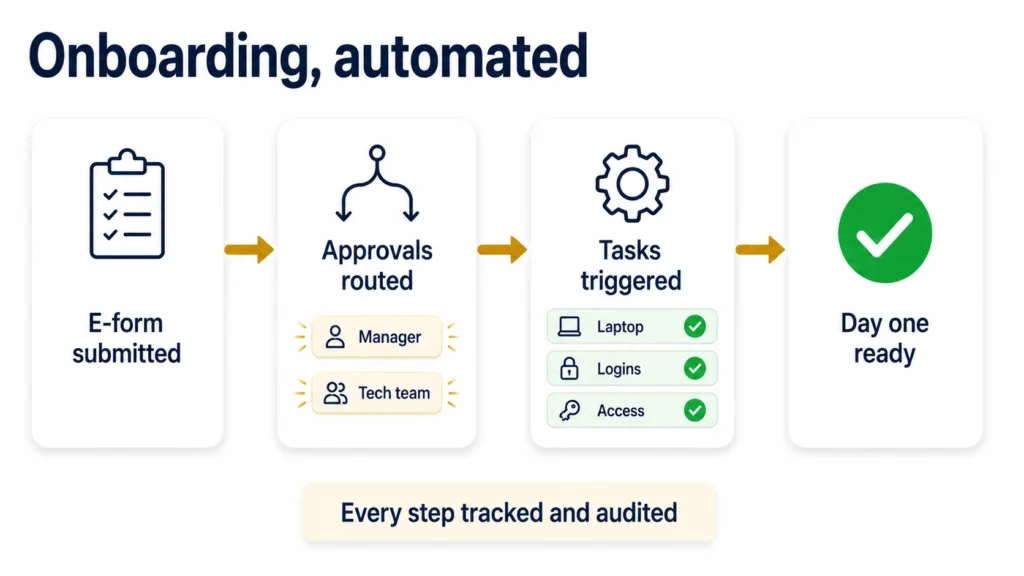
- Build that one process as a digital form, with approval routing and a full record of each step. Nothing else yet. A 30-day Claromentis playground is a cheap place to test step three before you commit to anything.
- Give it an owner and a review date, then check after three months whether people still use it.
If they do, automate the next one. If they don’t, find out why before you build anything else. Adoption is the only number worth watching this early, and it’s the one most firms skip straight past.
Should you build your own automation or buy a platform?
Buy, for almost any firm of 10 to 500 people with no in-house engineering. Building bespoke automation gives you exactly what you asked for, plus a maintenance bill that never ends. Buying a platform gives you something your own team can change on a Tuesday afternoon.
The cost that kills automation isn’t the licence, it’s the upkeep. Upkeep needs somebody who understands the build, and that person eventually leaves for a better job. It’s the orphaned flow problem again, one layer up. A bespoke script written by one clever colleague rarely outlives them.
Who runs it if you have no IT team?
The person who owns the process, not a developer. In a 40-person firm that’s usually whoever handles IT alongside two other jobs. The honest test is whether they can change a rule themselves on a Thursday afternoon. If every change needs a specialist, you’ll quietly stop making changes, and a workflow nobody updates goes stale inside a year.
Buying in automation services for the first build is a fair answer too. It isn’t the same as handing the problem over, and it’s the service we offer UK SMEs. A partner can build your first workflow and train the person who’ll own it. No partner can decide, on your behalf, that the thing is worth using.
Claromentis 11 helps whoever ends up with it. The in-portal AI Chat Assistant connects to the Claromentis knowledge base, Discover. Administrators get product-level answers, approved by Claromentis, without leaving the tool (Claromentis, 2026). Our Claromentis 11 deep-dive covers what else changed.
The bottom line for UK businesses
Business process automation software earns its place when manual admin starts costing real time, risk or money, and for most growing UK teams it already does. The tool matters less than the fit. Match it to your size, your compliance load and your existing stack, and start with one process that hurts.
Get that right and the software pays for itself in reclaimed time. Get the order wrong, automating a broken or pointless process, and you’ve just made the mess run faster.