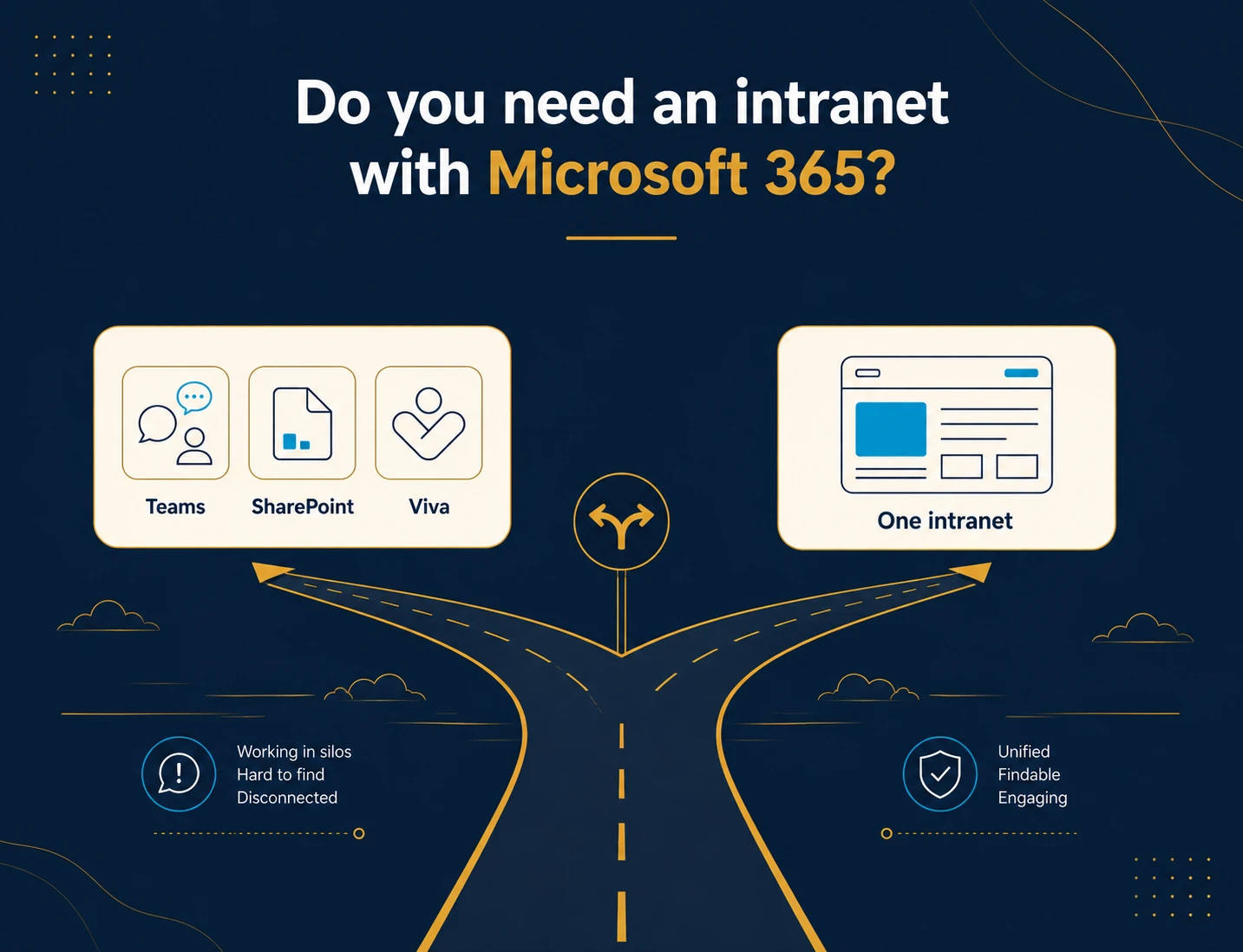
TL;DR: Do you need an intranet with Microsoft 365? For many UK SMEs the honest answer is no, not yet. If you have simple internal comms, mostly desk-based staff and no policy-tracking duties, Teams and SharePoint will do. You need a dedicated intranet when you must publish targeted news, prove staff have read policies, or reach the shop floor. One 2025 survey found UK knowledge workers lose around 520 hours a year hunting for information (Digit.fyi, reporting Lucid’s 2025 Work Acceleration Survey, 2025).
Key Takeaways
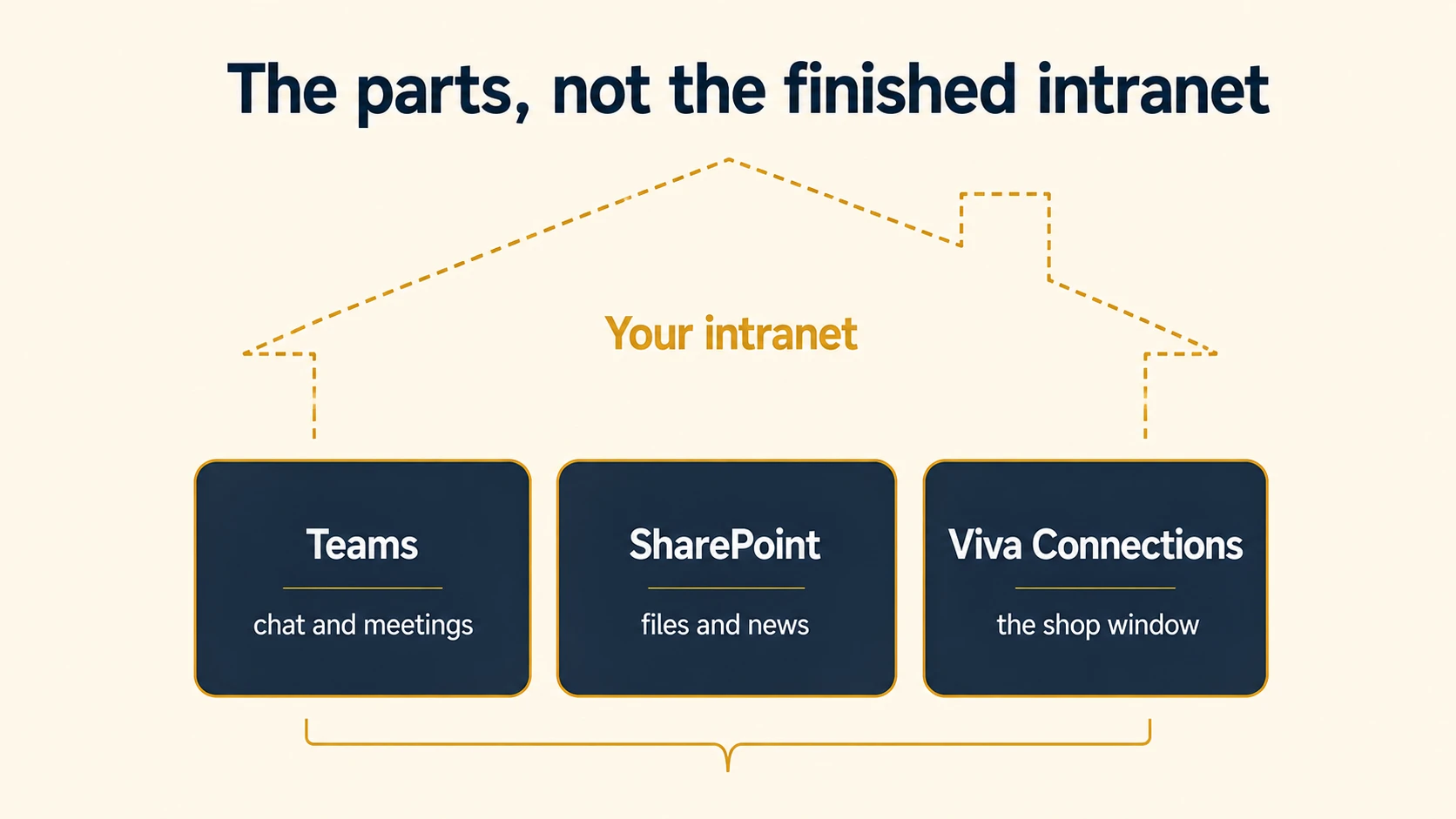
- Microsoft 365 gives you the parts of an intranet (Teams, SharePoint, Viva Connections), not a finished one. You build and govern it yourself.
- Viva Connections displays a SharePoint intranet inside Teams. It does not create the content, so someone still has to build the intranet first.
- Microsoft 365 is genuinely enough for a small, desk-based team with light comms needs and someone who knows SharePoint.
- The clearest trigger to buy a dedicated intranet is compliance: publishing policies and proving who has read them, with an audit trail. Microsoft 365 has no finished module for this.
- Reaching deskless staff through Microsoft 365 means buying a frontline licence per head. “We already have Microsoft 365” rarely covers the warehouse.
- A realistic UK SME budget for a dedicated intranet is roughly £8,000 to £25,000 in year one for 30 to 100 users, lower in year two once the build does not repeat. It also depends on scope: migrating data from an existing system, connecting other systems, and how many workflows and courses you need all move it, so we quote on your requirements.
Interactive: is Microsoft 365 enough for you?
Why push back when you already pay for Microsoft 365?
You already pay for Microsoft 365. Your team lives in Teams all day, files sit in SharePoint, and email still runs the place. Then a vendor tells you that you also need an intranet. So it is a fair question to push back on: why buy another platform when you already own most of one? In short, do you need an intranet with Microsoft 365, or is the bundle you already pay for enough?
Most articles that answer this are written by someone selling you the answer. A Microsoft partner nudges you deeper into SharePoint. An intranet vendor says the bundle falls short and you should buy them. This guide does neither. I say this having run a Claromentis deployment at 850+ users across 20 countries before founding Techspire IT, not from a sales brief. I will show you exactly when Microsoft 365 is enough, and the specific triggers that mean it is not, so you spend the money only if you should.
Most UK SMEs already own the parts
Because most UK firms now run on the cloud, 69% by 2023, more than any other advanced technology the ONS tracks (Office for National Statistics, “Management practices and the adoption of technology and AI in UK firms 2023”, 2025), most of them already pay for Microsoft 365. So for the 5.5 million UK businesses, 99.8% of them SMEs (Department for Business and Trade, “Business population estimates 2024”, 2024), the real question is not which intranet to buy. Instead, it is whether the bundle they already own is enough.
What does Microsoft 365 give you for an intranet?
To begin with, Microsoft 365 gives you three building blocks, not a ready-made intranet. Teams is the collaboration hub for chat, meetings and shared files. SharePoint holds documents and can host communication sites for company news. Viva Connections pulls that SharePoint content into Teams as a branded home experience.
In practice, used together they can absolutely act as an intranet. The catch is the word “can”. You get a kit of parts, and someone has to plan, build, brand and govern the finished thing. Out of the box you have sites and a news web part, not a designed company intranet with clear ownership. That gap sits inside a bigger decision about what a connected digital workplace needs. It is where the “do you need an intranet with Microsoft 365” question really lives.
Can Microsoft Teams replace an intranet?
No. As a rule, Teams is built for collaboration, not company-wide communication. Microsoft describes Teams as “the ultimate messaging app for your organization”, a workspace for real-time collaboration (Microsoft Support, “What is Microsoft Teams?”). In Microsoft’s own stack, the company-news job sits with SharePoint, not Teams.
Content in Teams lives inside individual channels, which multiply fast. There is no native way to publish one targeted announcement and confirm the right people saw it. Ask any operations lead where the important notice went and you will hear “somewhere in Teams”. It is a brilliant place to work together. It is a poor noticeboard.
Is SharePoint an intranet?
SharePoint can be an intranet, but it is a toolkit rather than a finished product. Microsoft says to use a communication site to “broadcast information out to a broad audience” (Microsoft Support, “Create a communication site in SharePoint”), and the raw materials are all there: sites, news, hub navigation, permissions.
However, what you do not get is the design and the governance. Someone with SharePoint skills has to plan the navigation, set the information architecture, configure permissions and then keep maintaining it. Communication-site permissions run through separate Owners, Members and Visitors groups that start empty until you fill them. For a UK SME without in-house SharePoint know-how, that build-and-maintain burden is the real cost, and it never shows up on the licence.
What is Viva Connections, and does it replace an intranet?
In fact, Viva Connections is a user experience app inside Microsoft Teams that surfaces content already published in SharePoint. It does not replace an intranet (Microsoft Learn, “Overview: Viva Connections”, 2025). Its News reader shows SharePoint news, its Dashboard shows cards and tools, and its Resources panel shows curated links.
Read that carefully, because it is the fact most buyers miss. Viva Connections presents an intranet. It does not build one. The news, pages and documents it displays still have to be created and governed in SharePoint first. It is the shop window, not the shop.
There is a licensing wrinkle too. For example, one targeted Viva Connections experience is included with your Microsoft 365 licence. Running more than one requires every user to hold a paid Microsoft Viva licence (Microsoft Learn, “Overview: Viva Connections”, 2025). So the “free” home experience has a ceiling.
When is Microsoft 365 genuinely enough?
Often, it is. If most of the points below describe you, do not buy an intranet yet:
- Your team is small and mostly desk-based, and everyone already holds a normal Microsoft 365 licence.
- Your internal comms are light: the occasional announcement and some shared documents, not a daily news destination.
- You have someone in-house (or a trusted partner) with the SharePoint skills to build and maintain communication sites and Viva Connections.
- No hard duty applies to prove that staff have read and accepted policies.
- You would rather use what you already pay for and build it yourself than buy a finished product.
The honest test is not “could Microsoft 365 do this”. It usually could, with enough build time. The test is whether that build is a good use of a small team’s week. Having run an intranet for 850+ users across 20 countries, I can tell you the answer is sometimes no, and the right call is to keep what you have.
When do you need a dedicated intranet with Microsoft 365?
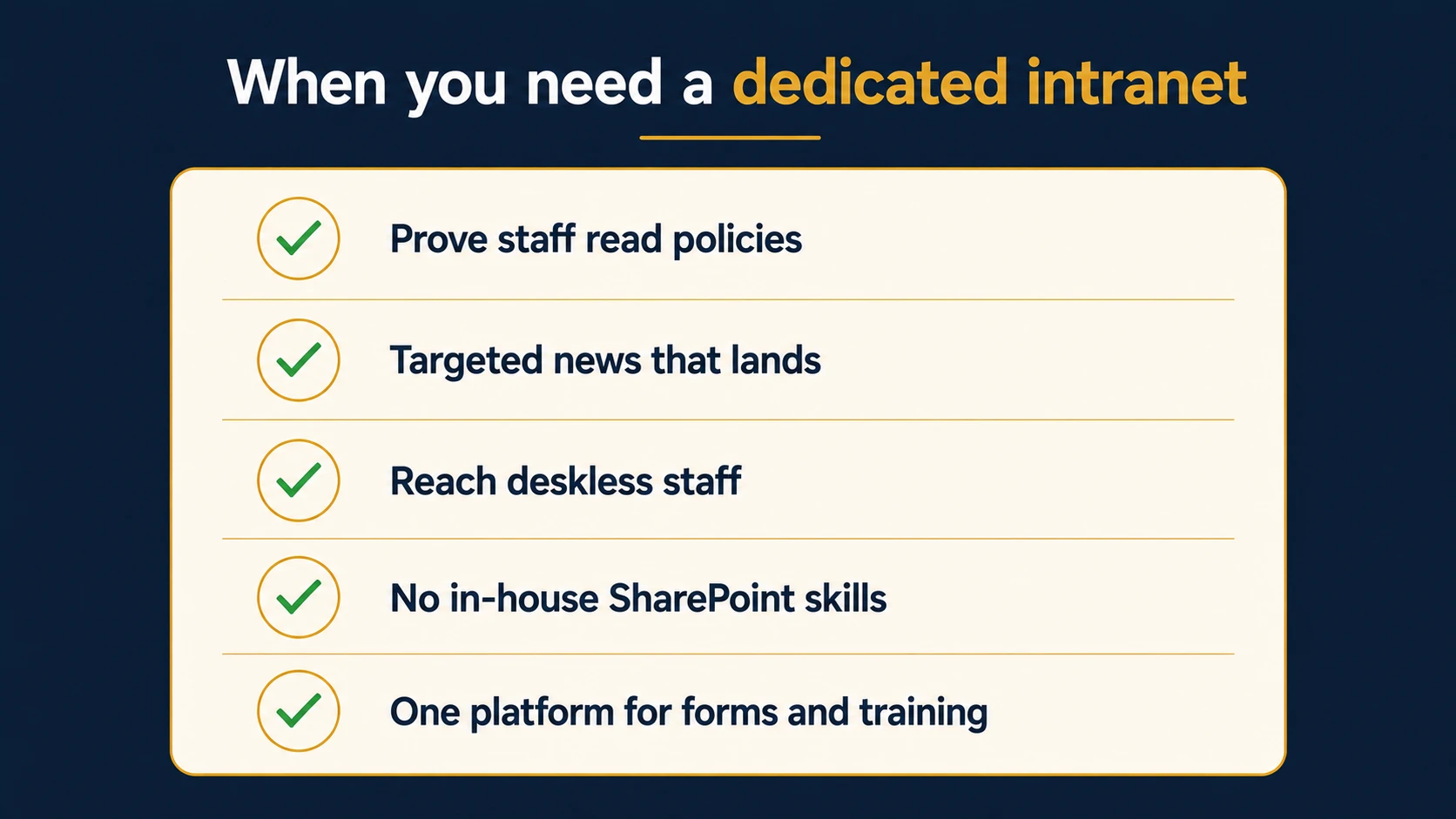
In short, you need a dedicated intranet when one or more of these triggers is true. Each is something Microsoft 365 makes you build, and a purpose-built intranet gives you out of the box:
- Compliance is on the line. You have to publish policies, require staff to acknowledge them, and produce an audit trail of who accepted what and when. Microsoft 365 has no finished module for this.
- Company news needs a real home. You want to publish an announcement to the right people and know it landed, without months of SharePoint building.
- Deskless staff need reaching. Shop-floor, warehouse or field teams have no easy, licensed way into SharePoint.
- There are no in-house SharePoint skills, and nobody wants the ongoing build-and-govern burden.
- One platform beats several. You want forms, workflow and training alongside the intranet, rather than stitching separate tools together.
Intranet vs Microsoft 365: a side-by-side comparison
In fact, the clearest gaps in the Microsoft 365 bundle are policy compliance and reach. Microsoft 365 has no finished module to prove staff read a policy, and getting deskless staff onto SharePoint means a frontline licence per head. A dedicated intranet includes both out of the box. Here is the honest comparison for a UK SME. Neither option reaches staff without an account, so the real differences are how finished each is, who has to build it, and what it costs to cover everyone.
| What you need | Microsoft 365 (Teams, SharePoint, Viva) | Dedicated intranet (e.g. Claromentis) |
|---|---|---|
| Company news | Build it in SharePoint, surface via Viva | Targeted news, out of the box |
| Reaching deskless staff | Buy a frontline licence per head | Included, via the mobile app |
| Policy acknowledgement + audit trail | No finished module; build it yourself | Built-in Policy Manager |
| Time to a working intranet | Depends on your build and skills | Roughly 6 to 8 weeks for most |
| Who maintains it | Your team or a SharePoint consultant | Supported product, one supplier |
| Forms, workflow and training | Add Power Platform and a separate LMS | Optional add-on modules, one platform |
If most of your answers sit in the right-hand column, a dedicated platform earns its place. Sitting on the left? Keep your money and get more from what you own. For the platform-by-platform view once you have decided, our seven-platform comparison for UK SMEs walks through the shortlist.
What does a dedicated intranet add that Microsoft 365 does not?
In short, a dedicated intranet adds the finished, governed pieces you would otherwise build. With Claromentis, the intranet is the base, and you can add no-code forms and approval workflows or staff training and compliance courses as modules on the same platform.
Above all, the sharpest difference is policy management. Claromentis Policy Manager lets you publish a policy, require a read acknowledgement, and see exactly who has and has not accepted it, with a full audit trail (Claromentis, “Policy management”). That is the compliance evidence a spreadsheet and a SharePoint folder cannot give you.
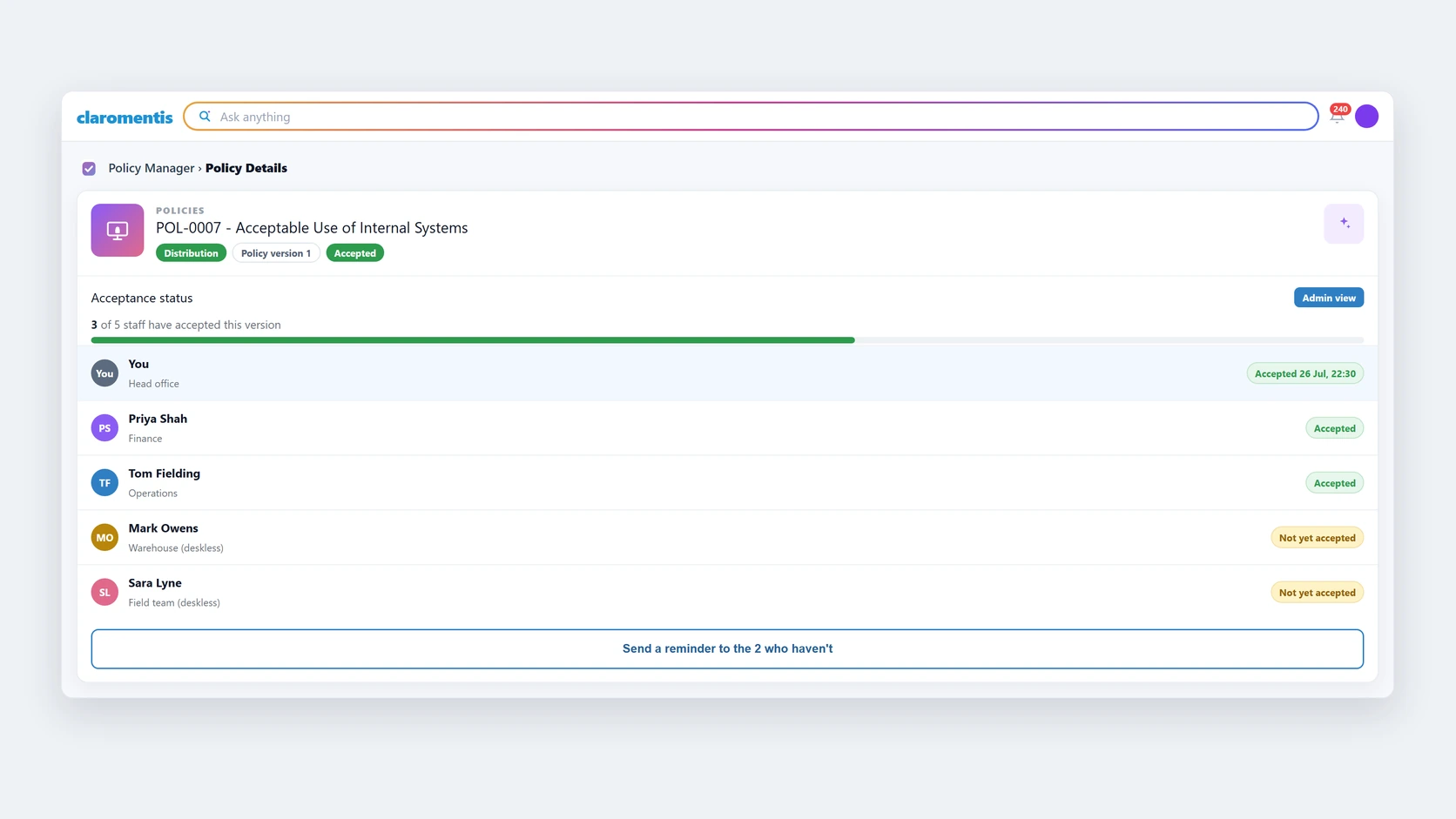
Inside Claromentis: prove who read a policy
 Ask anything
5
Ask anything
5
A faithful model of the real Claromentis Policy Manager Acceptance Status screen. Staff names, the policy title, the tags and the dates are UK SME sample data, and the gold marking and the row tint are ours, to point at what is missing. Everything else is the product. Not a live system.
Try it yourself in the free 30-day demo playgroundIt also adds AI search that returns a cited answer drawn only from your own content, respecting each user’s permissions. This is search and knowledge discovery, not analytics. We cover what AI search really does for an SME in more depth separately.
How much does each option really cost?
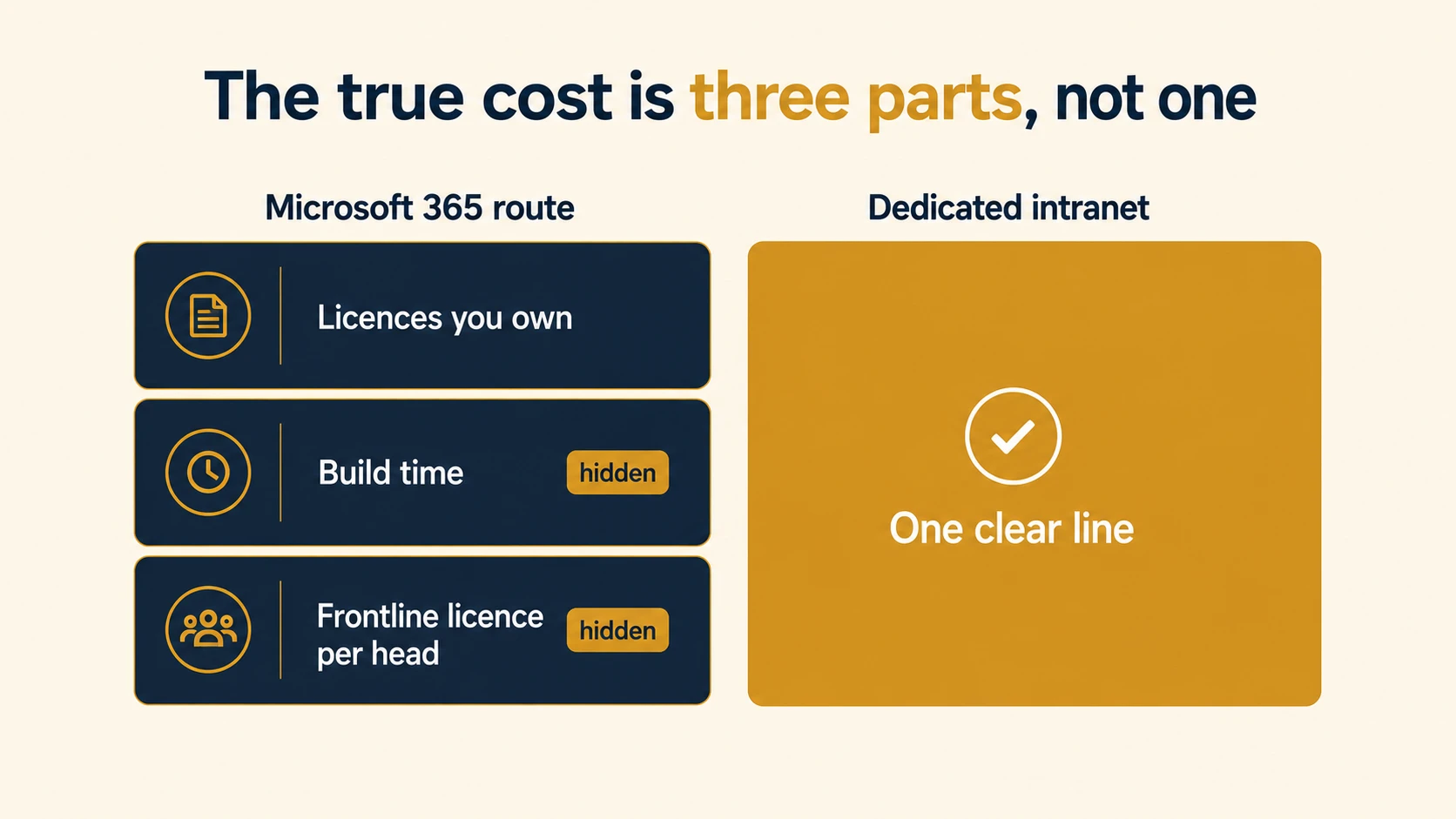
Microsoft 365 looks free here, because you already pay for it. The true cost has three parts. There are the licences you own, the build time (in-house hours or a SharePoint consultant), and a frontline licence for every deskless worker you want to reach. The last two are easy to forget and rarely small.
By contrast, a dedicated intranet is a clearer, single line. Per-user pricing depends on the modules you choose, so we keep specific figures private. A realistic UK SME budget is roughly £8,000 to £25,000 in year one for 30 to 100 users. Year two is lower, because the setup does not repeat. So the right question is not which is cheaper on paper. It is which gets your team a working, governed intranet for less total effort.
Frequently asked questions
Can Microsoft 365 be used as an intranet?
Yes, with work. SharePoint communication sites plus Viva Connections can serve as an intranet, but you build, brand and govern it yourself. Microsoft 365 gives you the components, not a finished, ready-to-run intranet product, so factor in the build and maintenance time.
Do you need an intranet with Microsoft 365 if you already use Teams?
Not always. Teams handles collaboration well. You need more when you must publish governed company news, track policy acknowledgements, or reach staff who do not sit at a desk. If none of those apply, Teams and SharePoint may be enough for now.
Does Viva Connections replace a dedicated intranet?
No. Viva Connections surfaces content that already lives in SharePoint inside Microsoft Teams. It aggregates and personalises news and links, but it does not create the underlying intranet. You still have to build and maintain the SharePoint content it displays.
How do I give deskless staff access with Microsoft 365?
You buy a frontline licence, such as Microsoft 365 F1 or F3, for each worker and provision an account (Microsoft Learn, “Frontline worker licensing”). SharePoint content sits behind a licensed account, so reaching the shop floor through Microsoft 365 is an added per-head cost many SMEs miss.
Is SharePoint enough for a small business intranet?
For a small, desk-based team with light comms and some SharePoint skills, often yes. It becomes limiting when you need targeted news as a destination, policy acknowledgement with an audit trail, or a supported product rather than a platform you maintain yourself.
So, do you need an intranet with Microsoft 365?
So, do you need an intranet with Microsoft 365? For most small, desk-based UK teams with light internal comms, not yet: Teams and SharePoint, used well, are enough. You need a dedicated intranet once a real trigger applies. That means proving policy compliance with an audit trail, publishing targeted news as a real destination, or reaching deskless staff who have no seat in Microsoft 365. Weigh your answer against the checklist above, then judge it against a working product, not a sales pitch.
Two next steps help you decide. Our detailed Claromentis head-to-head goes deeper on the options, and if adoption worries you, here is why these projects stall after launch. The best way to judge is to see a finished intranet working, on your own content, with no build to do first.