
SharePoint projects don’t usually fail because of bad software. They fail because nobody can use the thing. An AIIM survey found that nearly 50% of SharePoint-enabled enterprises rate “lack of expertise” as their top ongoing issue (SharePoint Support, SharePoint User Adoption, 2026). For a UK SME with 10 to 50 staff and no full-time SharePoint admin, that’s a sobering number.
This guide compares Claromentis vs SharePoint on the things that actually matter to a UK SME: real total cost, time-to-live, day-to-day usability, and which one your team will still be using in two years. We’ve deployed both. So this isn’t a brochure rewrite. It’s what we tell our clients when they ask which way to go.
Quick definitions before we go deeper.
Claromentis is a UK-built digital workplace solution that bundles intranet, business process automation, and learning management into a single product.
SharePoint is Microsoft’s document management and collaboration toolkit, sold as part of Microsoft 365, that organisations use as a foundation to build their own intranet. A digital workplace is the integrated set of tools your staff use to communicate, find information, and complete business processes day-to-day.
Key Takeaways
- SharePoint Online costs £4.60 to £17.00 per user/month, but UK consultancy adds £650 to £1,400 per day to make it usable (Microsoft, March 2026 UK Price List; NetMonkeys, SharePoint Intranet Cost Guide 2026).
- Claromentis is modular: intranet is always the base, with business process automation and learning management as optional add-ons. Year-one budgets for a 30 to 100 user UK SME with all modules typically sit in the £8,000 to £25,000 range, dropping in year two because installation and onboarding fees don’t repeat.
- Claromentis goes live in 6 to 8 weeks. SharePoint training alone takes 6 months to 2 years for staff confidence (Claromentis, 2026).
- You can trial Claromentis risk-free for 30 days using a private demo playground (link in the trial section below).
What does each platform actually do?
In 2026, SharePoint is a document management and site-building toolkit from Microsoft, while Claromentis is a ready-made digital workplace from a UK vendor that combines intranet, business process automation, and learning management in one platform (GetApp, SharePoint vs Claromentis Comparison, 2026). The distinction matters because it changes what you’re buying.
SharePoint hands you a kit. You get document libraries, lists, hub sites, search, and tight integration with the rest of Microsoft 365. What you don’t get is an intranet. You get the raw materials to build one. That’s brilliant if you have a SharePoint architect on staff. It’s terrifying if you don’t.
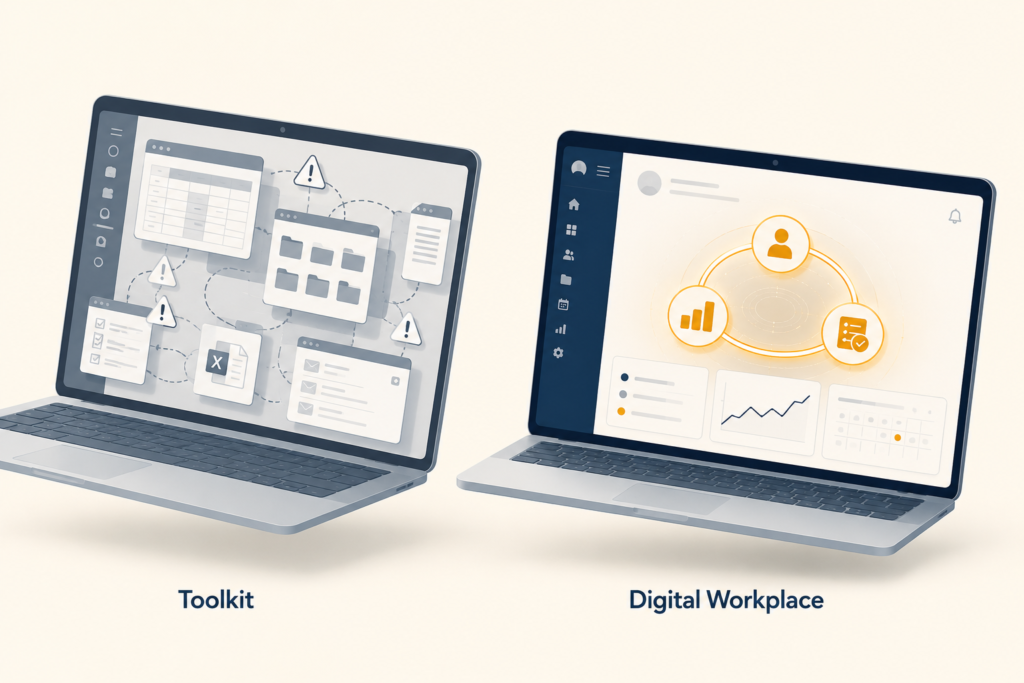
Claromentis takes the opposite approach. Out of the box you get a configured intranet (people directory, news, document management, knowledge base, policy manager), a no-code workflow builder for things like leave requests and onboarding, and a SCORM-compliant LMS for compliance training. When we onboard clients moving off SharePoint, the most common reaction in week one is the same: “Why did we ever build all this ourselves?”
According to GetApp’s 2026 comparison, Claromentis is “an integrated, highly customisable digital workplace featuring Intranet, Business Process Automation and Learning Management System packages”. SharePoint requires you to either bolt on or build all three (GetApp, 2026). For a UK SME without a dedicated platform engineer, that distinction is the whole ball game.
How much does Claromentis vs SharePoint really cost a UK SME?
In 2026, Microsoft 365 plans that include SharePoint range from £4.60/user/month (Business Basic) to £17.00/user/month (Business Premium). The licence is the cheapest part. UK SharePoint consultants charge £650 to £1,400 per day, and a typical SME implementation runs £5,000 to £25,000 before you’ve trained a single user (Microsoft UK March 2026; NetMonkeys, 2026). Ongoing managed support adds another £800 to £3,500 per month depending on user count and scope.
The maths gets uncomfortable fast. A 30-user UK SME on Business Standard pays roughly £3,400/year in licences. Add a modest £15,000 implementation, £18,000/year in managed support, and consultant hours every time someone wants a new workflow. You’re looking at £35,000+ in year one for what most teams still describe as “kind of working.”

What does Claromentis really cost a UK SME?
By contrast, Claromentis is modular and priced per user. Intranet is always the base. Business process automation and learning management are optional add-ons that you can include or skip, and the licence can be billed annually, half-yearly, or quarterly to suit cash flow. A typical 30-user UK SME deployment with all three modules, cloud installation, structured onboarding sessions, and branded mobile apps for both iOS and Android comes in around £8,000 in year one. Crucially, year two drops to roughly £5,000, because the one-time cloud installation and onboarding fees do not repeat.
For a 30-user UK SME comparing year-one costs, the picture looks like this. SharePoint Business Standard licences total roughly £3,400 annually, but a competent UK consultancy implementation adds £10,000 to £20,000 upfront, plus £800 to £3,500/month in managed support. That puts realistic year-one spend at £25,000 to £45,000 (NetMonkeys, SharePoint Intranet Cost Guide 2026).
Claromentis on the same 30-user count typically lands closer to £8,000 in year one with the full module stack, then drops to roughly £5,000 in year two because the one-time installation and onboarding fees don’t repeat. Across our 30 to 100 user UK SME deployments, year-one budgets sit in the £8,000 to £25,000 range depending on user count and module mix (Techspire IT pricing). The headline isn’t that Claromentis is always cheaper. It’s that the cost is predictable, modular, and falls in year two. SharePoint’s licence is cheap; everything around it isn’t, and the consultancy meter keeps running. That’s the trap that catches SMEs.
What’s the cost of doing nothing?
To put either platform in context, the cost of not fixing disconnected tools is typically far larger than either option.
“A 2025 Ricoh UK study found that UK employees lose 15 hours a week to admin (Ricoh UK, 2025). Combined with median UK earnings data and a fully loaded employer cost of approximately £27 per hour (salary, Employer NICs at 15%, pension, workspace and IT overhead), that translates to upwards of £1.9 million per year in lost staff time for a 100-person UK business on duplicate data entry, document hunting, broken approval chains, and chased-up sign-offs (ONS ASHE 2025; Ricoh Europe, December 2025). For a 50-person firm, the equivalent figure is roughly £950,000. For the full data-driven breakdown of how these figures are calculated, see our cost of manual processes analysis. Even at the higher end of the Claromentis range, the platform pays for itself well inside the first month.”
How long does deployment and adoption take?
SharePoint deployments using ready-made templates take 5 to 6 weeks for the build, but staff training to confident use takes 6 months to 2 years. Most projects fail at the adoption stage, not the build stage (Claromentis, 2026; SharePoint Support, 2026). That ties back to the AIIM finding cited earlier: when half of SharePoint-enabled enterprises name “lack of expertise” as their top ongoing issue, the bottleneck is human, not technical.
The technology works. The problem is your team can’t use it without retraining. For a UK SME where the marketing manager doubles as the intranet admin, that’s not a tractable problem.
Why does Claromentis deploy in 6 to 8 weeks?
In practice, Claromentis is designed for the opposite scenario. The standard implementation runs 6 to 8 weeks end-to-end, including content migration, branding, workflow configuration, and user training (Claromentis, SharePoint Alternatives, 2026). Day-one users typically need a 90-minute walkthrough; admin users get a half-day session. Because the interface is drag-and-drop and the workflows are no-code, ongoing changes don’t trigger a consultant invoice.
Our pattern across UK SME deployments: week 1-2 discovery and configuration, week 3-4 content and branding, week 5-6 workflow and LMS setup, week 7-8 testing and go-live. Most clients are publishing news, running approvals, and tracking compliance training within 60 days of kick-off.
So what kills SharePoint projects in SMEs isn’t the eight weeks to build it. It’s the eighteen months until anyone other than IT actually uses it. The deeper point is this: deployment timelines lie. A 6-week SharePoint build looks competitive on a Gantt chart, but if your operations manager still can’t publish a news post in month seven, the project has effectively failed even though the system “works.” Claromentis collapses that adoption curve because the thing already looks and works like a finished product on day one. We’ve watched this play out across roughly two dozen UK SME deployments now: by week 12, Claromentis users are confidently building their own workflows and editing pages, while SharePoint clients of similar size are still booking calls with their consultancy to make basic changes. For deeper context on why “go-live” and “actually adopted” are different milestones, see our Business Process Automation 2026 guide.
Which is easier for non-technical UK teams to use day-to-day?
In Capterra and G2 reviews collected through 2026, Claromentis users consistently praise the no-code page builder, drag-and-drop menu builder, and 40+ pre-built components. By contrast, SharePoint users frequently cite “steep learning curve” and “too difficult to use” as the dominant complaints (G2 Claromentis Reviews, 2026; TechTarget, 7 SharePoint problems, 2025). Mobile is another fault line. Claromentis works in a mobile browser out of the box; SharePoint needs additional configuration to feel native on a phone.
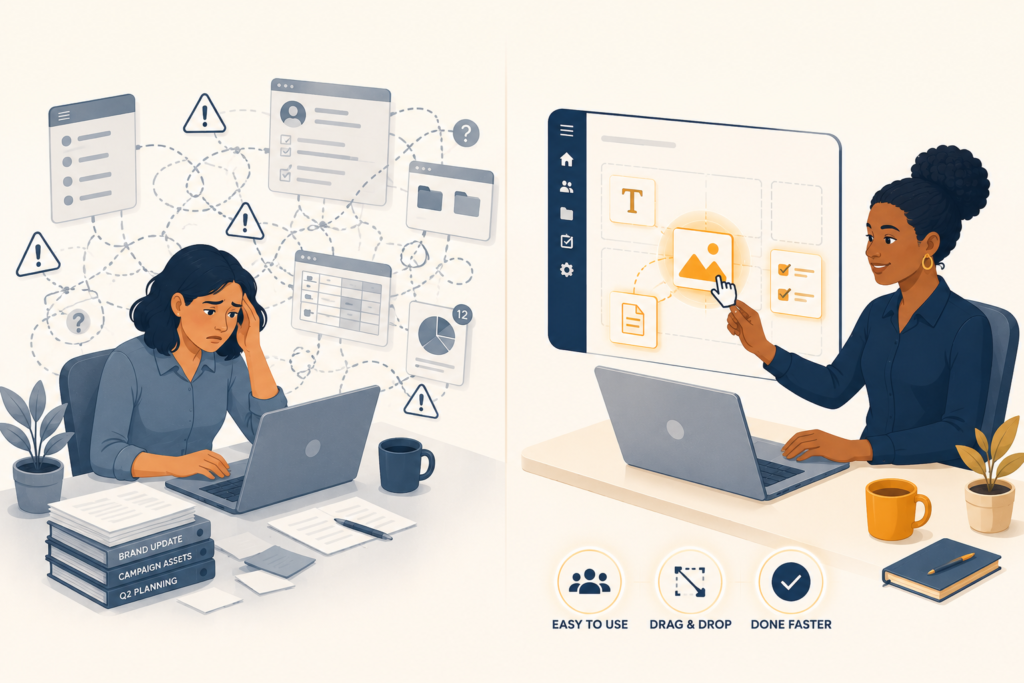
Why does this matter for a UK SME specifically? Because in a 30-person business, the person updating the intranet is rarely a developer. It’s an HR coordinator, a marketing manager, or the operations lead. If editing a page requires understanding hub sites, content types, and Modern Pages, the page just doesn’t get edited. The intranet rots within six months.
| Task | SharePoint | Claromentis |
|---|---|---|
| Publish a company-wide news post | Modern Pages with web parts; needs SharePoint admin or trained author | News module, drag-drop, publish in 2 minutes |
| Build a leave-request workflow | Power Automate flow; technical | E-form + workflow builder, no-code |
| Create a department homepage | Hub site + permissions setup | Drag-drop page builder, copy from template |
| Update navigation menu | Site settings; hierarchical | Visual menu builder |
| Find a policy document | SharePoint search, hit-and-miss | AI-powered policy manager |
| Track who completed mandatory training | Build it yourself or buy add-on | Built-in LMS with certification tracking |
That table is why we say SharePoint can do everything Claromentis does. For most UK SMEs, that’s beside the point. The question isn’t capability. It’s whether the people actually doing the work can use the thing without booking a meeting with IT.
How do the all-in-one features compare?
Claromentis ships as a modular digital workplace: intranet is the mandatory base, with business process automation and learning management as optional add-ons. SharePoint covers the intranet layer and requires Power Platform for automation plus a third-party LMS, typically adding £3 to £8/user/month and another vendor relationship (Claromentis, SharePoint Alternatives, 2026). For UK SMEs trying to consolidate “disconnected tools,” that integration is the whole point. You pay for the modules you need, and skip the ones you don’t.
What does each platform include out of the box?
Concretely, here’s what each side looks like, Claromentis (pick your modules):
- Intranet (always the base): people directory, news, document management, knowledge base, policy manager, AI search
- Business process automation (optional add-on): e-forms, approval workflows, SLA tracking, no-code workflow builder
- Learning management system (optional add-on): SCORM-compliant, certification tracking, course library
- All chosen modules sit under one login, one admin panel, one support contract
The bottom line for a UK SME in 2026
For a UK SME of 10 to 500 users, the Claromentis vs SharePoint decision usually comes down to one question. Do you have the technical capacity to build, train, and maintain SharePoint as an intranet, or do you need a finished product on day one?
If you have a SharePoint architect, a Power Platform developer, and a heavy Microsoft 365 commitment, SharePoint’s depth and integration are real advantages. If you’re a 30-person business where one person manages the intranet alongside three other jobs, Claromentis will be live faster, cheaper over three years, and (critically) actually used by your team.
The single best way to find out which side you’re on is to spend 30 days inside a working Claromentis playground and compare it against the SharePoint reality you already know.